
TABLE OF CONTENTS
- Enable Relay in Your Shiptheory Account
- Enter Your Relay Credentials
- Test Connection and Save
- Configure Advanced Settings (Optional)
- Book your first Relay shipment with Shiptheory
- Next Steps
Relay allows you to streamline and automate your shipment creation directly from Shiptheory. Follow this guide to connect your Relay account to Shiptheory and configure your shipping options.
Enable Relay in Your Shiptheory Account
1. Log in to your Shiptheory account.
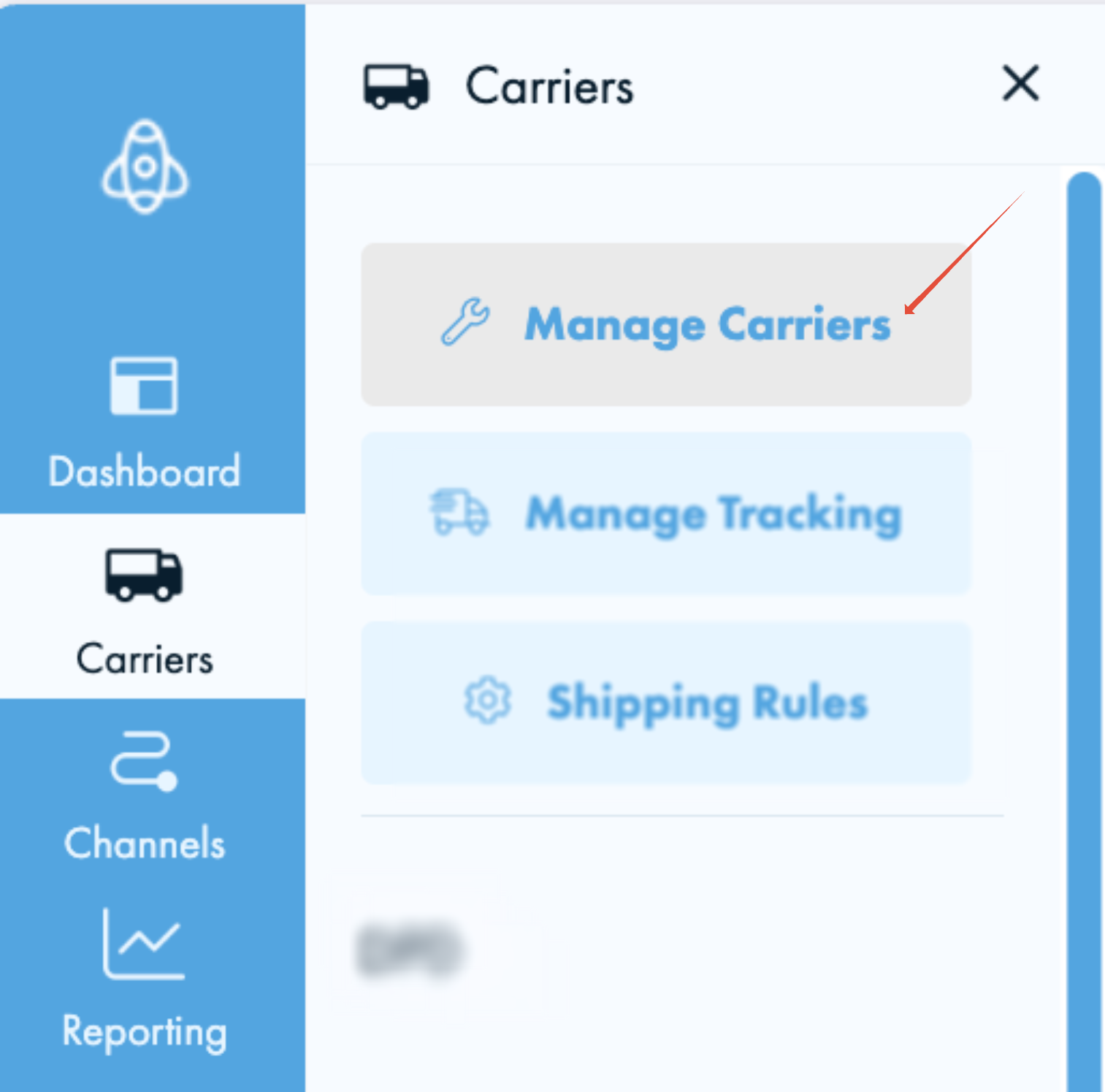
2. From the main menu, navigate to Carriers > Manage Carriers.
3. Locate Relay from the list of available carriers and click to enable it on your account.
Enter Your Relay Credentials
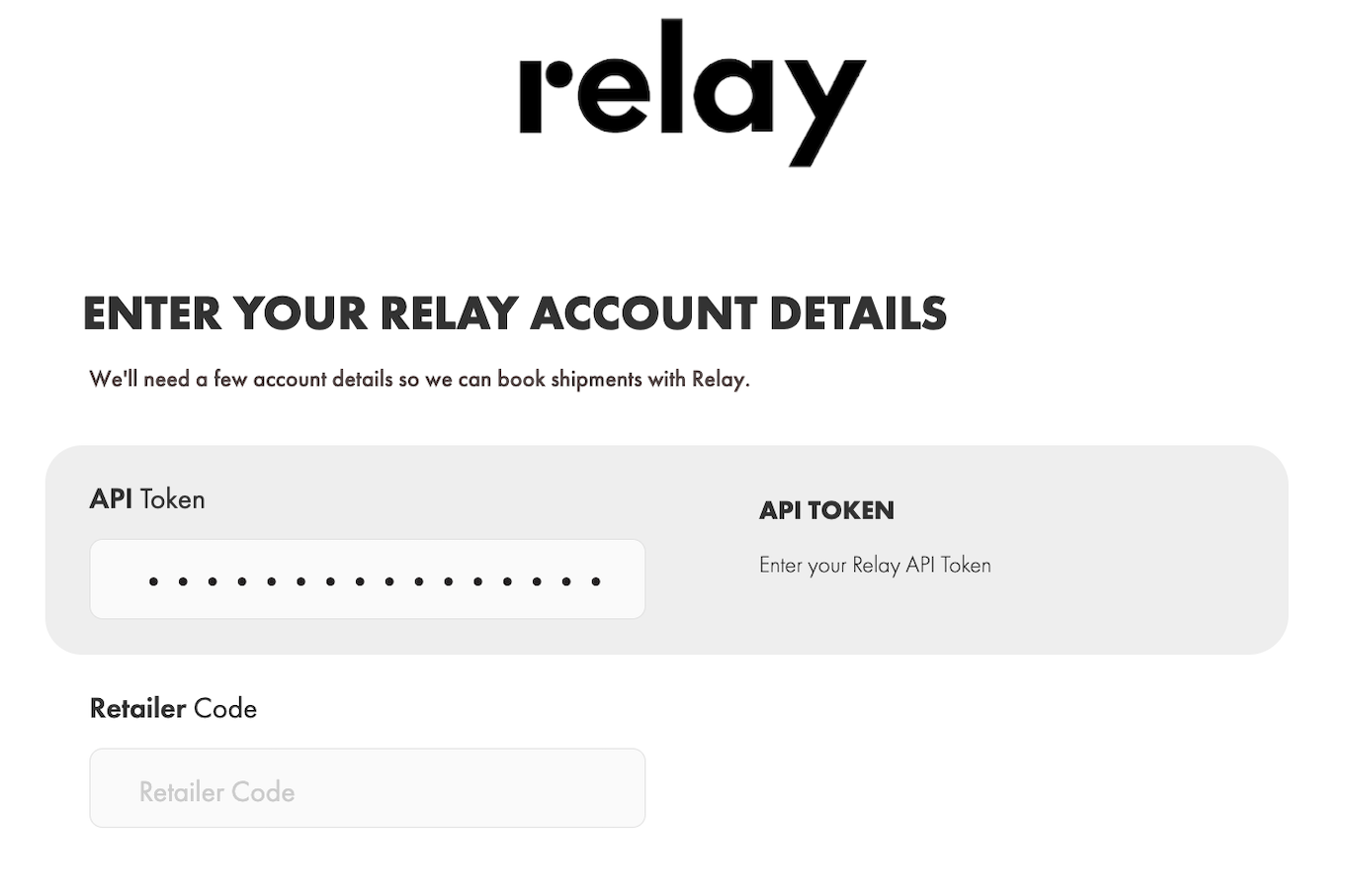
You will be directed to the Relay setup page:
API Token: Enter your Relay API Token.
Retailer Code: Enter your Relay Retailer Code if you are given one from Relay
Test Connection and Save
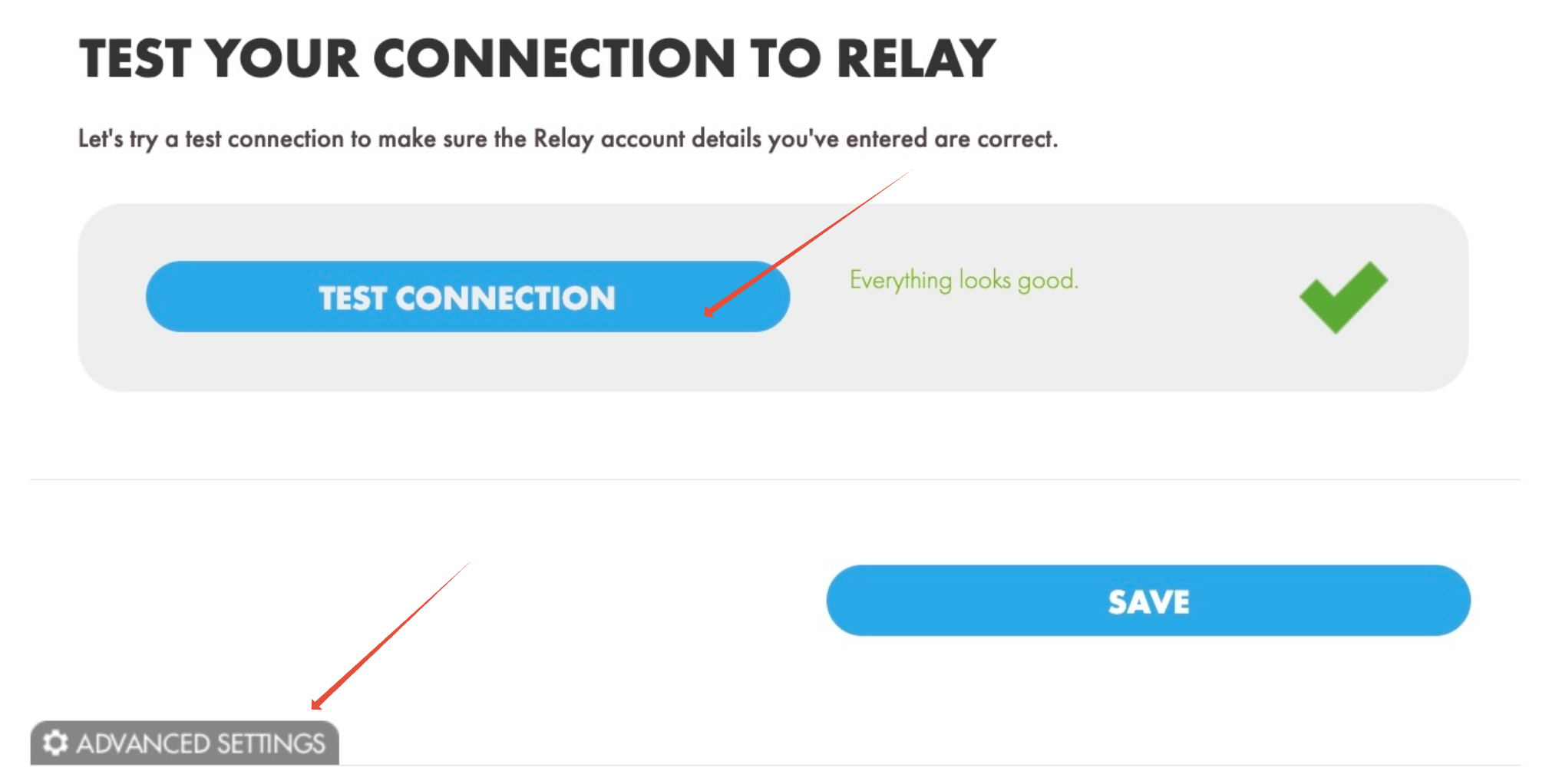
1. After entering your credentials, click the TEST CONNECTION button.
2. Once you see the green confirmation and Everything looks good
3. Before clicking SAVE to complete the setup, explore the Advanced Settings to make your shipping experience smooth.
Configure Advanced Settings (Optional)
Scroll down on the Relay settings page to configure optional advanced preferences:
- Default Parcel Dimensions: Enter your default package dimensions in cm. This is required if you do not send shipment using a Shiptheory package. Click here to learn more.
- Send Product Dimensions: Choose whether to send product-level dimensions along with your shipments.
- Retailer Brand & Brand ID: Enter your brand details if required by your integration.
- Retailer Location Code: Specify your origin location code. This is required for a Return Shipment made within Shiptheory platform
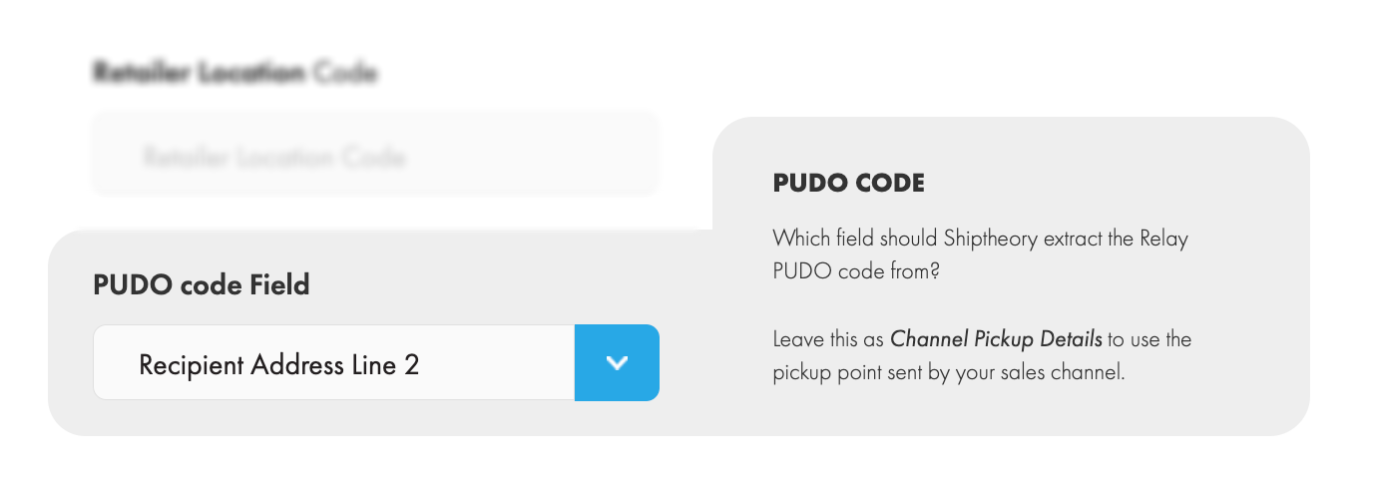
- PUDO Code Field: Map where Relay should locate Pick-Up / Drop-Off (PUDO) location codes from your order channel (e.g. Channel Pickup Details, Recipient Address Line 1, etc).
Scroll back and click Save to complete the setup!

Book your first Relay shipment with Shiptheory
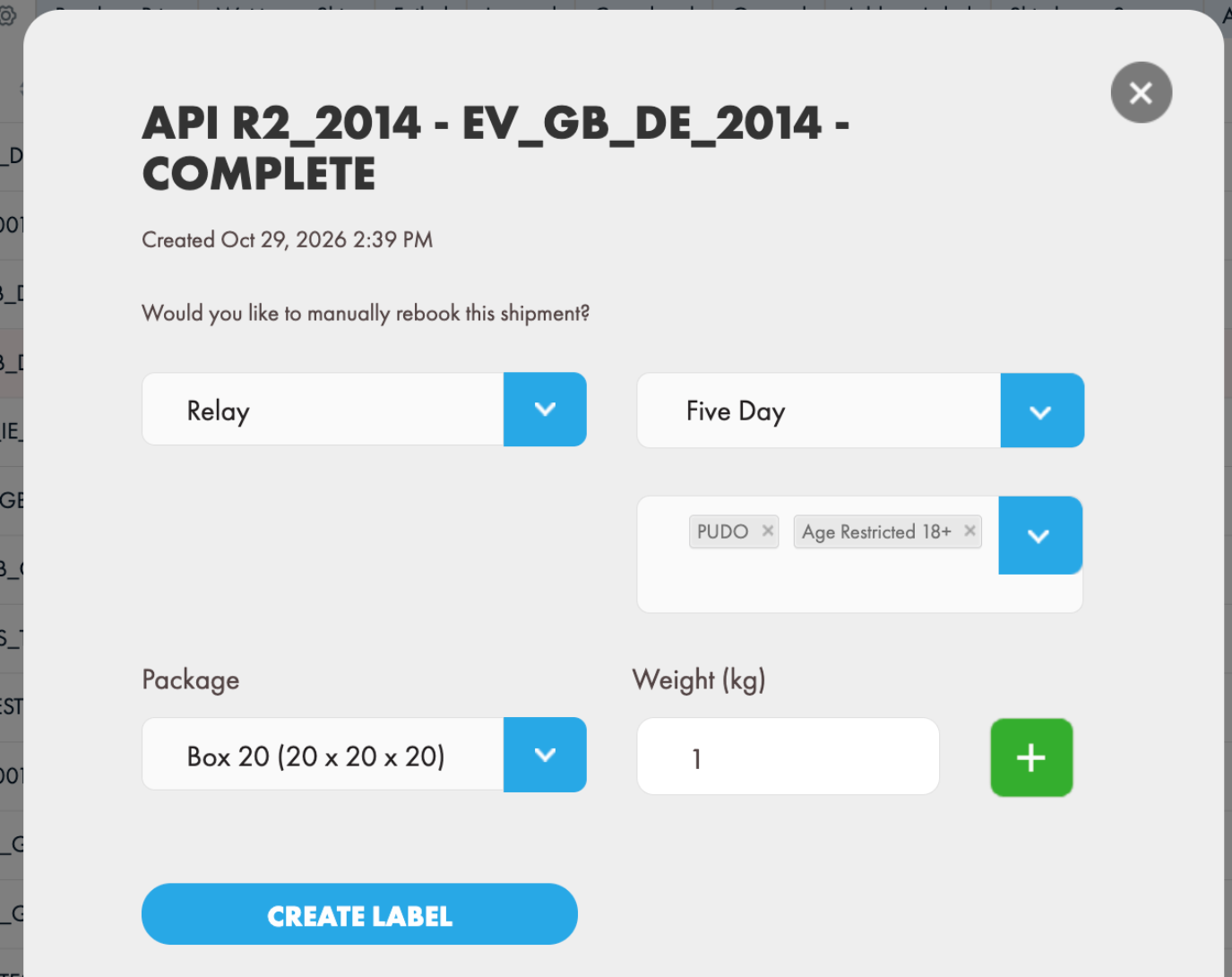
After you have downloaded a shipment from our support channels, or manually created a shipment, right click from the dashboard and choose View Shipment:
- Choose the Relay from the carrier list on the, and choose one of the supported services. Currently, 3 services are supported: Next Day, Two Day, Five Day.
- Optionally choose the enhancement(s) below the service dropdown: In the example below, choose PUDO to indicate this is PUDO delivery (e.g. deliver to locker). If you choose PUDO, make sure you have set where you would like Shiptheory to locate the PUDO code in settings.
- Package
- Leave the package field empty, the shipment weight will be taken from the shipment weight down below and the package dimensions will be taken from the setting, or
- Select a pre-defined package and update its weight. Please note Relay only supports ONE package per shipment
- Click 'Create Label' to ship and create label.
Specify which field Shiptheory should extract the Relay PUDO code from:
Next Steps
Now that your Relay integration is configured, you can set up Shipping Rules to automatically route eligible orders to Relay based on weight, destination, value, or sales channel.
If you encounter any issues, please feel free to contact our support team. You can call us on 0117 403 4313 (UK) / +1 (629) 666-6726 (US) or reach us online here.