
By default, all Items in Business Central are saved as shipment products, and Comments are saved as delivery instructions. All tther line types in Business Central (e.g. G/L Account, Resource, Allocation Account...) are generally ignored by Shiptheory.
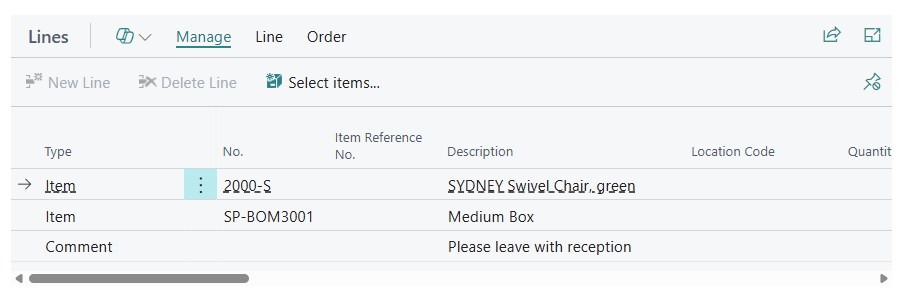
For example, this Posted Sales Shipment would get saved in Shiptheory as:
- "SYDNEY Swivel Chair, green" as a product with SKU: "2000-S"
- "Medium Box" as a product with SKU: "SP-BOM3001"
- "Please leave with reception" would be saved as the shipment's delivery instructtions.
Parcels & Packages Items
You can indicate to Shiptheory how many parcels your shipments contain by specifying a line item Type and No in your settings that Shiptheory should treat as a parcel. The line quantity is then saved into Shiptheory as the number of parcels.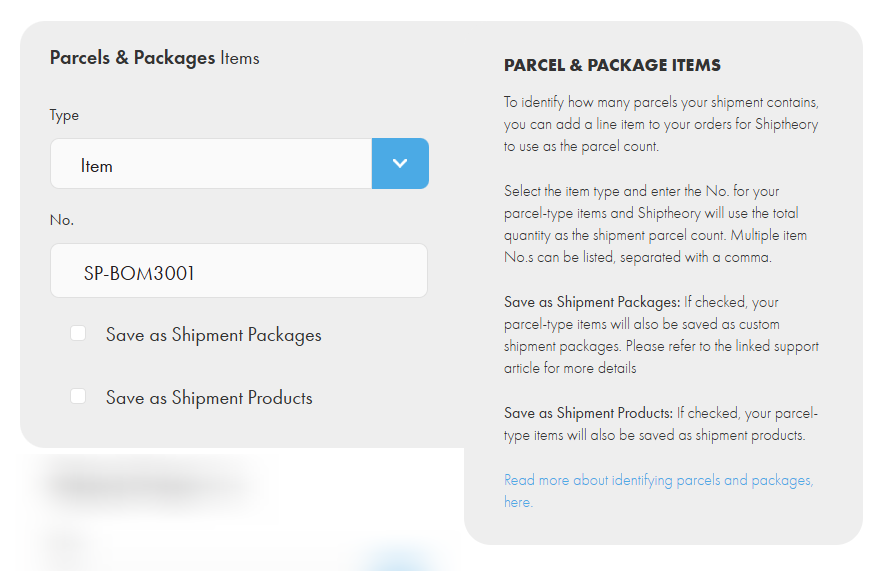
For example, here we've specified the Type as "Item" and No. as "SP-BOM3001 ". If the shipment in the Business Central shipment example at the top of the page was downloaded into Shiptheory, the "Medium Box" line is now considered a parcel and the line quantity would get saved as the shipment parcel count. Only the green swivel chair would be saved as a product.
Note: Multiple line No.s can be specified, separated with a comma.
Save as Shipment Packages: (Item type only) If this option is checked and the item in Business Central has a specified weight, width, height and length, then Shiptheory will save your item as a Shiptheory custom package. You can read more about packages in Shiptheory, here.
Save as Shipment Products: (Item type only) If this option is checked then any matching lines will be saved as products in addition to the line quantity being used as the number of shipment parcels.
Shipping Charges Items
To identify any shipping charges in your sales, select the line Type and enter the No. for any shipping charge items in Business Central.
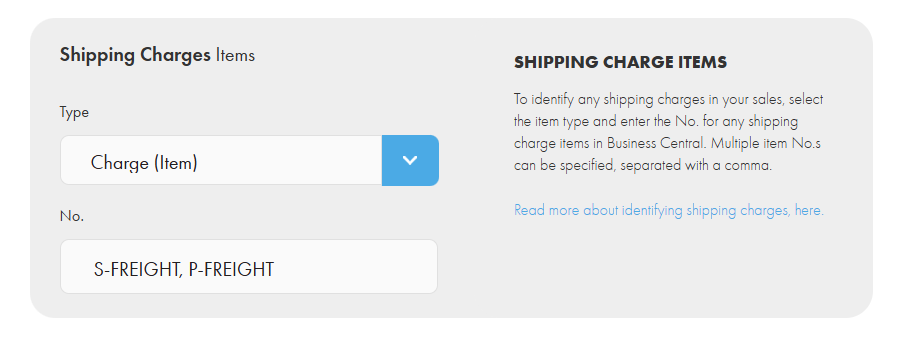
In this screenshot, if a shipment from Business Central downloaded into Shiptheory with a line of type "Charge (Item)" and No. "P-FREIGHT", Shiptheory would save the line amount as the shipping charge paid by the customer.
Note: Multiple line No.s can be specified, separated with a comma.
If you encounter any issues, please feel free to contact our support team. You can call us on 0117 403 4313 (UK) / +1 (629) 666-6726 (US) or reach us online here.