
In the left-hand navigation menu in Shiptheory, select Channels > Manage Channels. Under Connect a New Sales Channel, click "Business Central":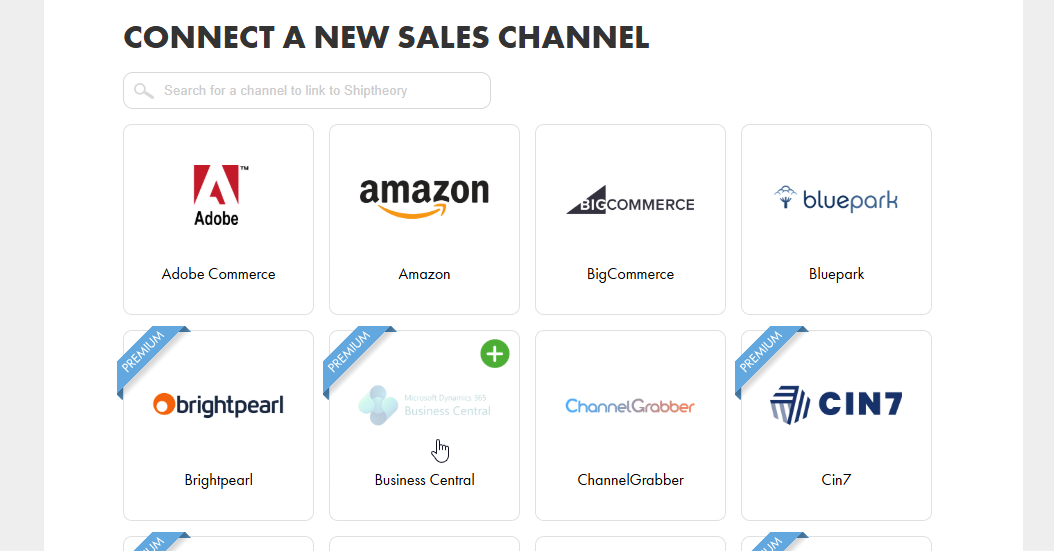
1. Install the Shiptheory app
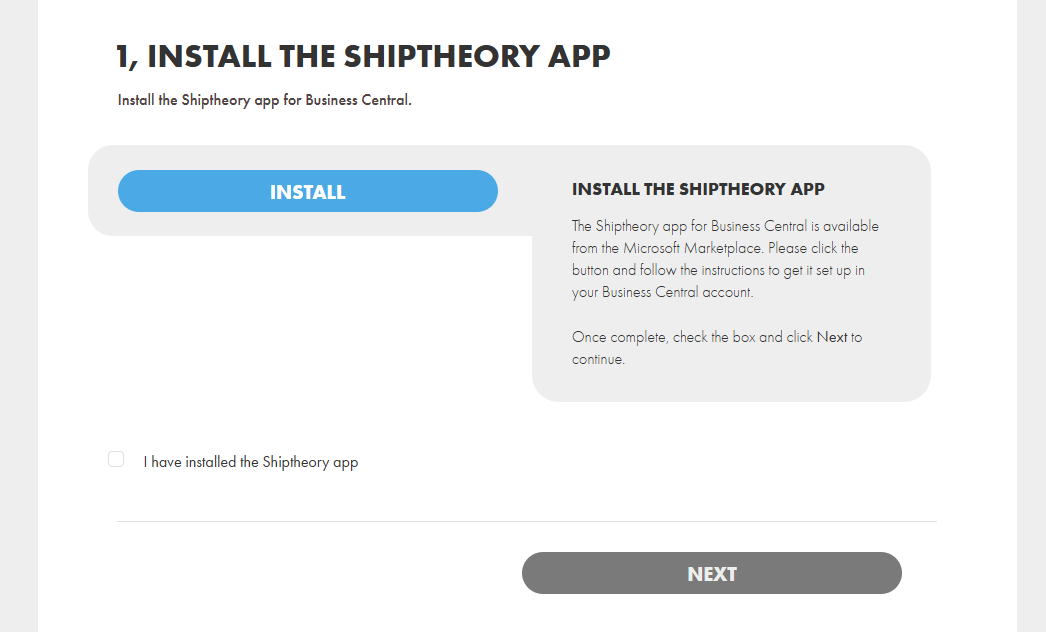
If you've not yet downloaded and installed the Shiptheory app in your Business Central account, you will need to do so. You can find the Shiptheory app for Business Central in the Microsoft Marketplace, here: https://marketplace.microsoft.com/en-us/search/products?product=dynamics-365-business-central
Once installed, check the "I have installed the Shiptheory app" checkbox and click Next.
2. Authorise the Shiptheory app
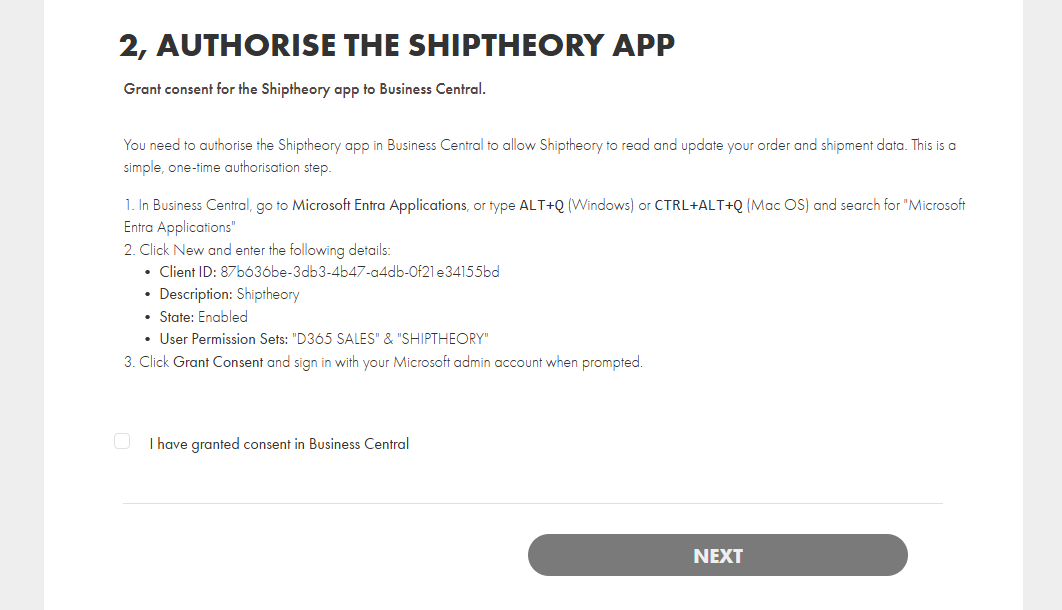
You need to authorise the Shiptheory app in Business Central to allow Shiptheory to read and update your order and shipment data:
- In Business Central, go to Microsoft Entra Applications, or type ALT+Q (Windows) or CTRL+ALT+Q (Mac OS) and search for "Microsoft Entra Applications"
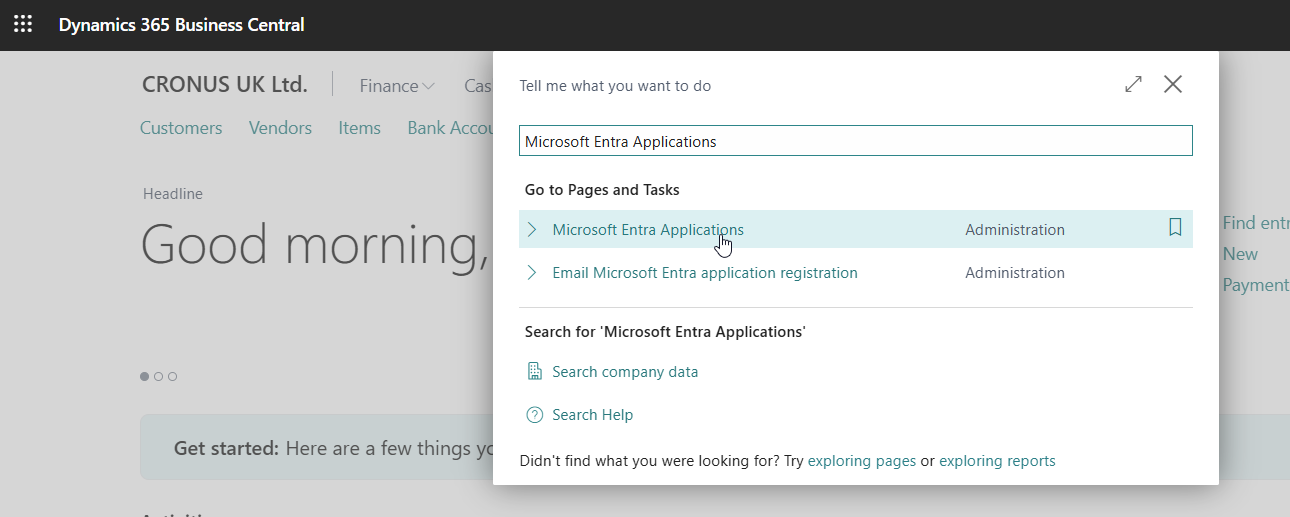
- Click +New and enter the following details:
Client ID: 87b636be-3db3-4b47-a4db-0f21e34155bd
Description: Shiptheory
State: Enabled
User Permission Sets: "D365 SALES" & "SHIPTHEORY"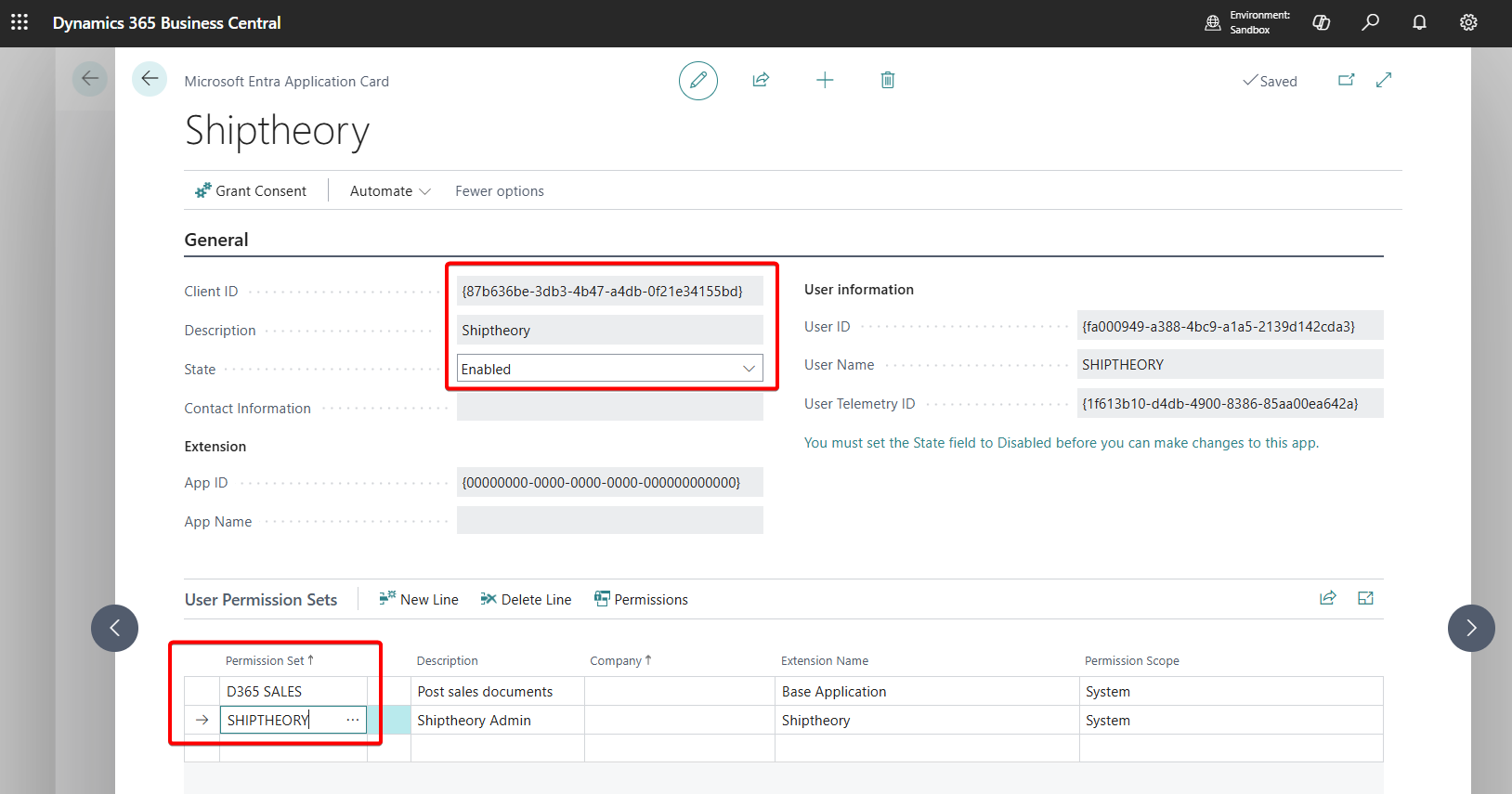
- Click Grant Consent and sign in with your Microsoft admin account when prompted.
Return to Shiptheory, check the "I have granted consent in Business Central" checkbox and click Next.
3. Enter your Business Central account details
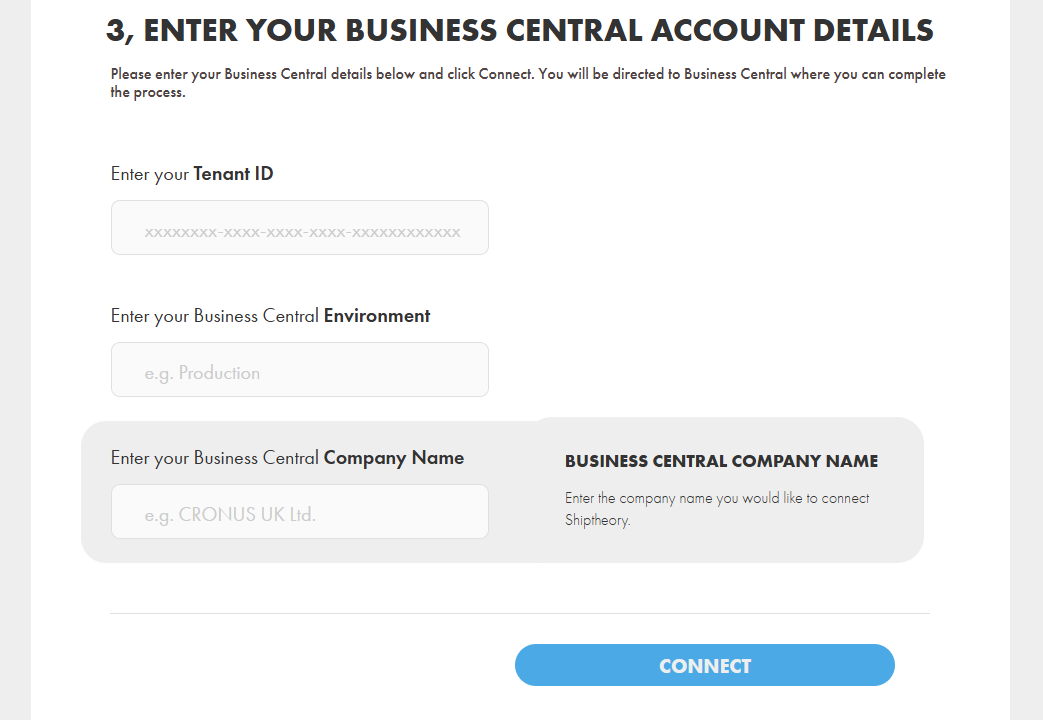
Enter your Business Central account tenant ID and the environment and company you would like to connect with Shiptheory. These details may already be pre-filled, but it's worth double-checking they are correct before continuing.
To find your tenant ID, in Business Central, go to Help > Other resources > Help & Support > Report a problem. Your tenant ID will be listed as "Microsoft Entra tenant ID":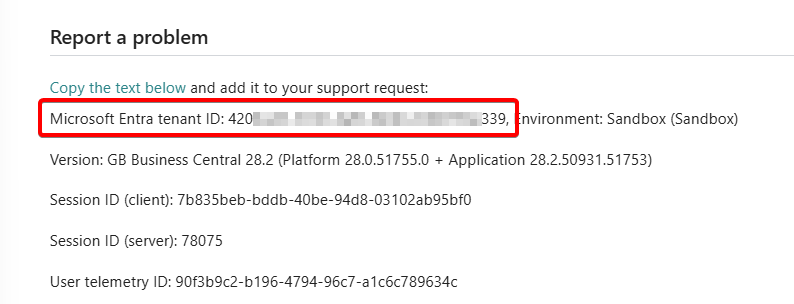
Click Connect
If connection is unsuccessful, please read any error messages and review the steps above to make sure each has been completed correctly before retrying.
4. Configuration
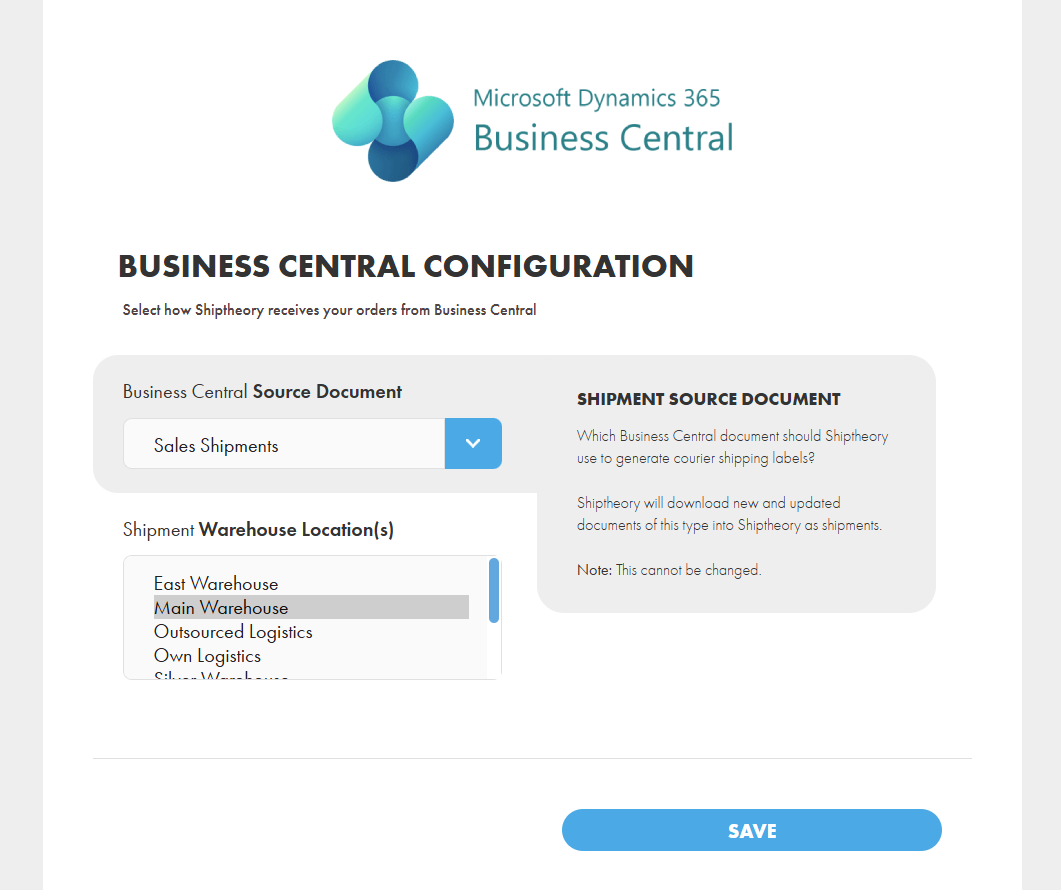
If all steps above been completed correctly, you will be asked to select which Business Central document and warehouse locations in Business Central you would like Shiptheory to connect with. The document selected will determine what Shiptheory listens for from Business Central, downloads details from and updates with carrier tracking numbers.
For more information on supported document types, please read this article: Which Business Central documents are supported in Shiptheory?
Once selected, click Save.
Next Steps
Now you're connected, we suggest taking a couple of minutes to set some basic configuration options: Setting up Business Central in Shiptheory
If you encounter any issues, please feel free to contact our support team. You can call us on 0117 403 4313 (UK) / +1 (629) 666-6726 (US) or reach us online here.