
When first connecting Business Central and Shiptheory you will need to select the type of document that Shiptheory should use for your shipment information.
Currently, Shiptheory can connect with:
- Sales Shipments
- Sales Invoices
- Warehouse Shipments
- Posted Warehouse Shipments
Once you've selected your document type, each time that one of these documents is created or updated, Shiptheory will receive an update from Business Central.
The Shiptheory app in Business Central will also add an information panel to the side of your selected document to display your booked courier shipment details, tracking number and optionally shipping labels:
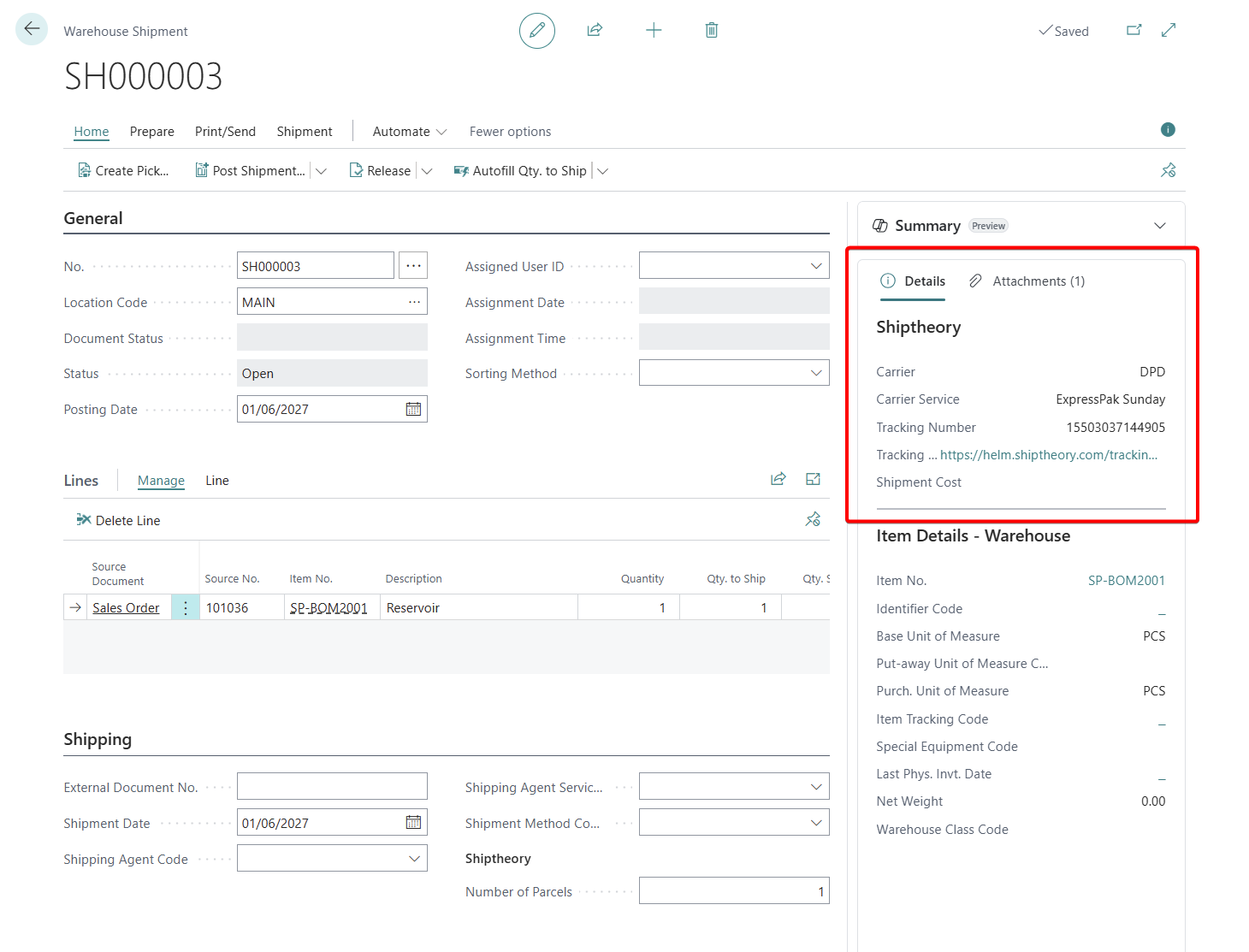
Warehouse Shipments
A warehouse shipment can contain line items from multiple sales orders, so Shiptheory downloads the shipment address and sale information from the first line item it finds with valid address and sales information. This applies to both Warehouse and Posted Warehouse shipments
If you encounter any issues, please feel free to contact our support team. You can call us on 0117 403 4313 (UK) / +1 (629) 666-6726 (US) or reach us online here.