
If you need to declare an OGEL licence on your commercial invoices, you need to provide Shiptheory with the correct OGEL number for your shipments, the type and optional destination or region.
Note: Note: A shipment OGEL licence number and type are required for a declaration to be included on your commercial invoices. Destination or Region is optional.
Supported Carriers
- DHL
OGEL number
You can do this via the Shiptheory API, or from certain sales channels. Please contact Support to check whether your sales channel is supported.
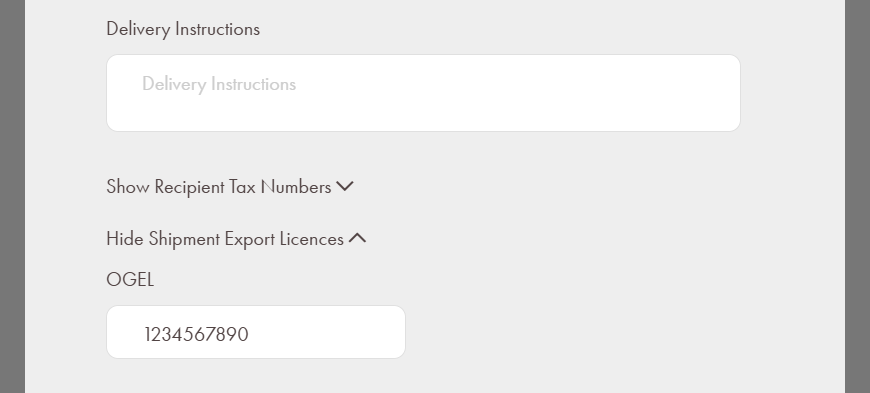
Alternately, you can use the shipment details modal from the Shiptheory dashboard. Right click on a shipment and select View Shipment. Scroll down and click Show Shipment Export Licences and OGEL will be revealed for you to enter the number:
OGEL type and region
If you're using Shiptheory's API or supported sales channel, you can provide these details per-shipment.
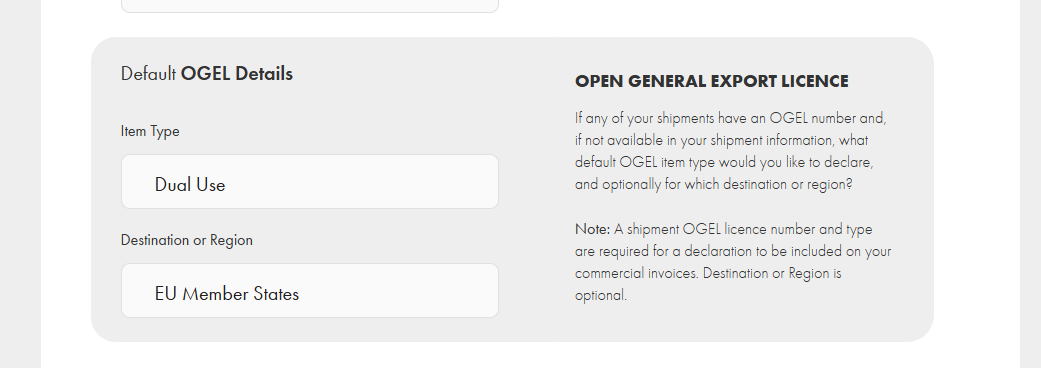
Alternatively, you can set default values in the Import/Export Documentation settings. In the left-hand menu of Shiptheory, select Settings > Import/Export Documentation. Under Advanced Settings, scroll down to Default OGEL Details:
If you encounter any issues, please feel free to contact our support team. You can call us on 0117 403 4313 (UK) / +1 (629) 666-6726 (US) or reach us online here.