
You can easily specify printers on a fulfilment-by-fulfilment basis, by sending us which printer you'd like your label from using Printer ID's.
To get started, you'll need a list of your printer IDs, which can be obtained in a CSV here: Printer Settings
Then you'll want to tell us what field the printer ID will be coming from in NetSuite; this will be done in your NetSuite Advanced Settings in Shiptheory. a guide on Using Native Field Overrides in NetSuite here
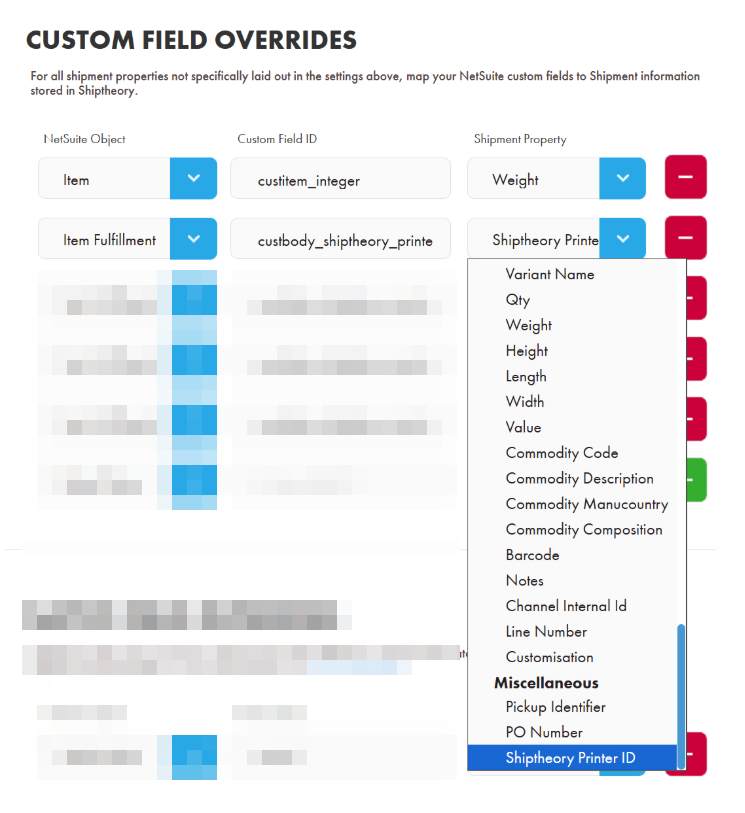
When a printer ID is provided in the fulfilment data, we will prioritise that printer over your other Shiptheory printer settings; more on that here: Printing Flowchart
If you encounter any issues, please feel free to contact our support team. You can call us on 0117 403 4313 (UK) / +1 (629) 666-6726 (US) or reach us online here.