
TABLE OF CONTENTS
There are two ways Shiptheory can fetch the product details from your Cin7 Core.
Fetch details from Cin7 Product Fields
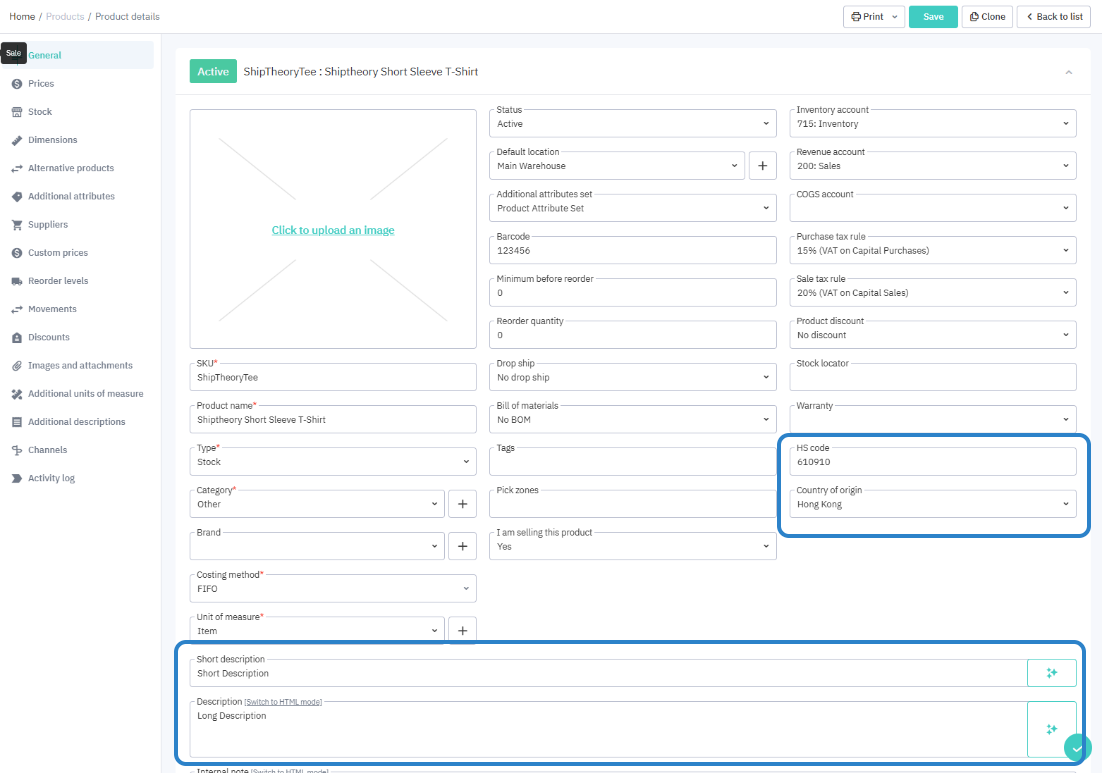
By default, product commodity details are pulled from the Product Details in Cin7 Core automatically, with no extra setup required.
| Shiptheory Product fields | Cin7 Core Product fields |
| Manufacture Country | CountryOfOriginCode |
| HS Tariff / Code | HSCode |
| Description | ShortDescription |
| Composition | Description |
Fetch details from Additional Attributes
You can also configure Shiptheory to fetch product details from Additional Attributes assigned to a product. It involves four steps to set this up:
Step 1- Create a new attribute set
Login your Cin7 Core, goto Settings → Reference Books → Other Items → Additional Attribute
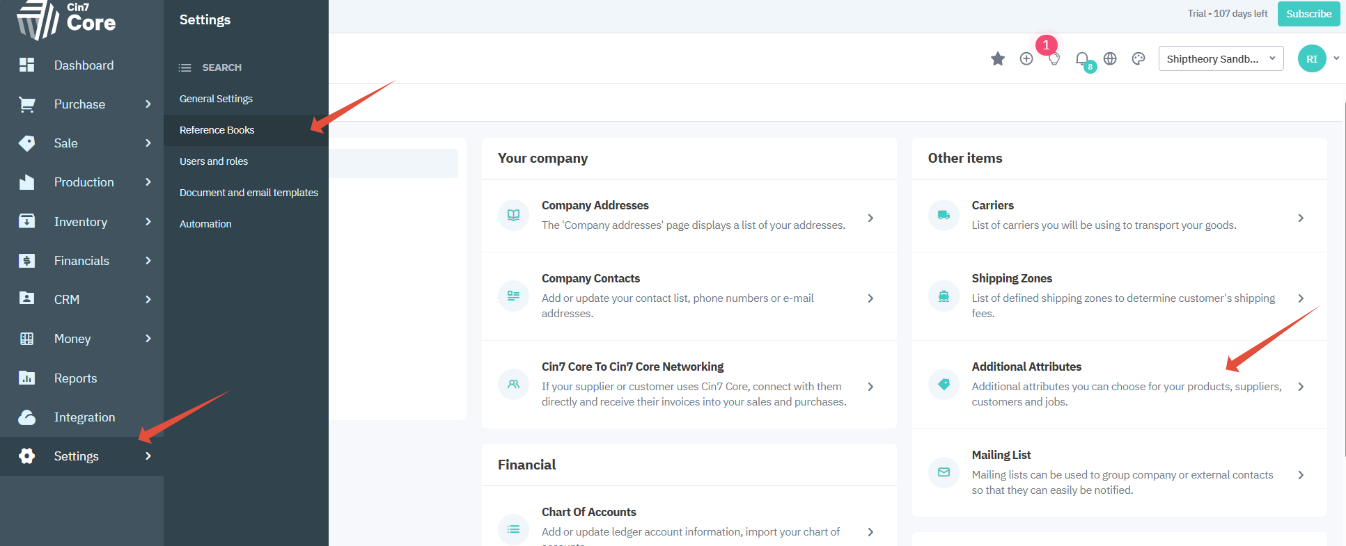
Press the green + button to create a new additional attribute set.
You will need to give it a name like 'Product Attribute Set', assign a name to each attribute name (for easy reference within Cin7 Core) and a attribute type. Text type is recommended here.
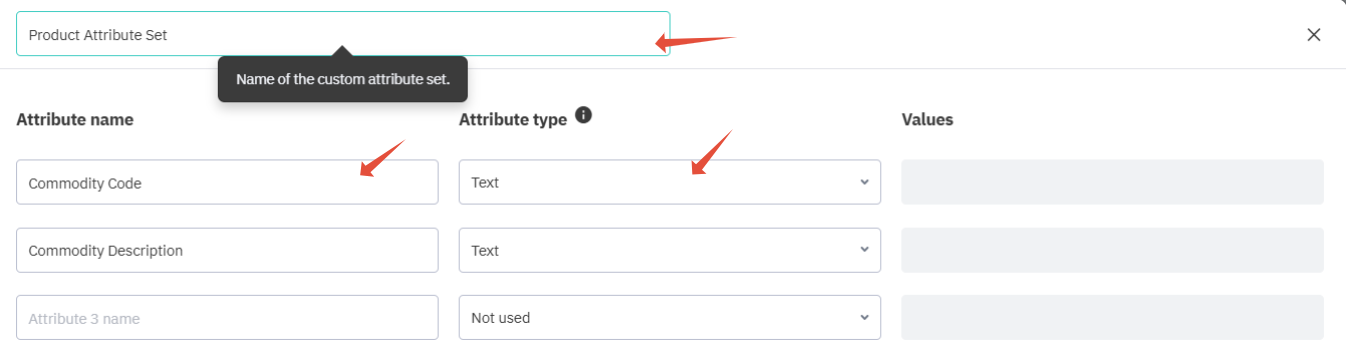
Click the Save button to complete.
Step 2 - Assigning additional attribute set to a product
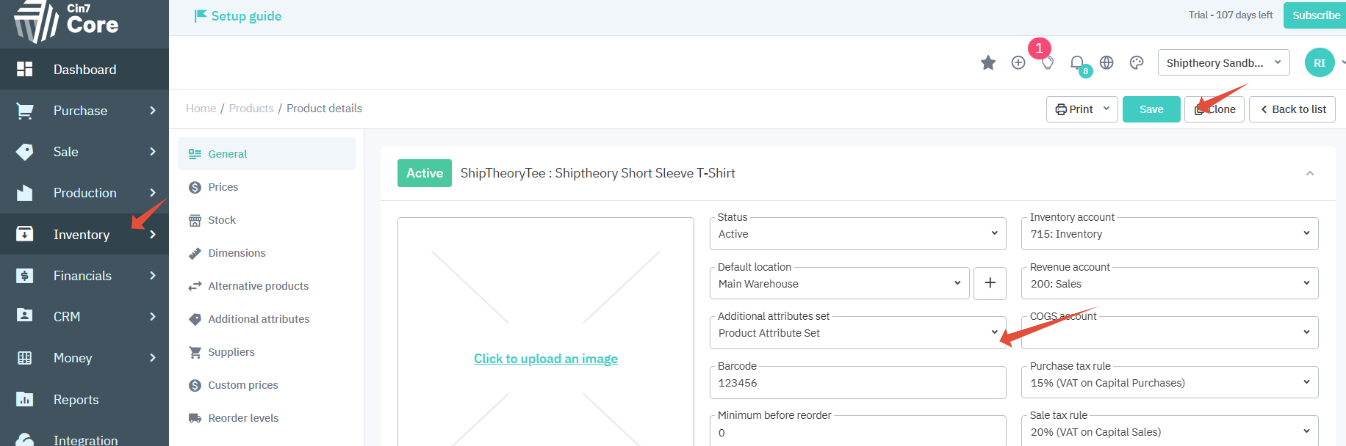
Goto Inventory > Product, assign the newly created additional attribute to the product and click Save.
Step 3 - Enter product details to additional attributes
With the product is still being editing, click Additional Attributes and enter the product details as shown below.
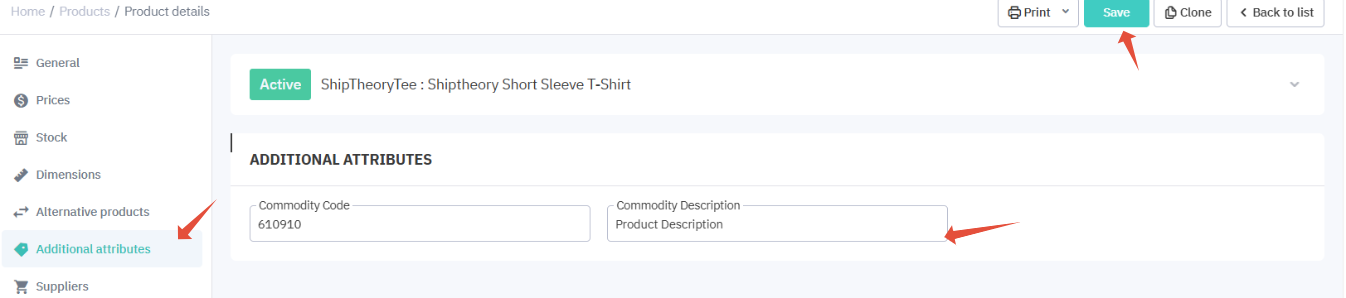
Click the Save button to complete.
Step 4 - Setting the mapping inside Shiptheory
Goto your Cin7 Core setting inside Shiptheory, map the additional attibute column to product property you want to update
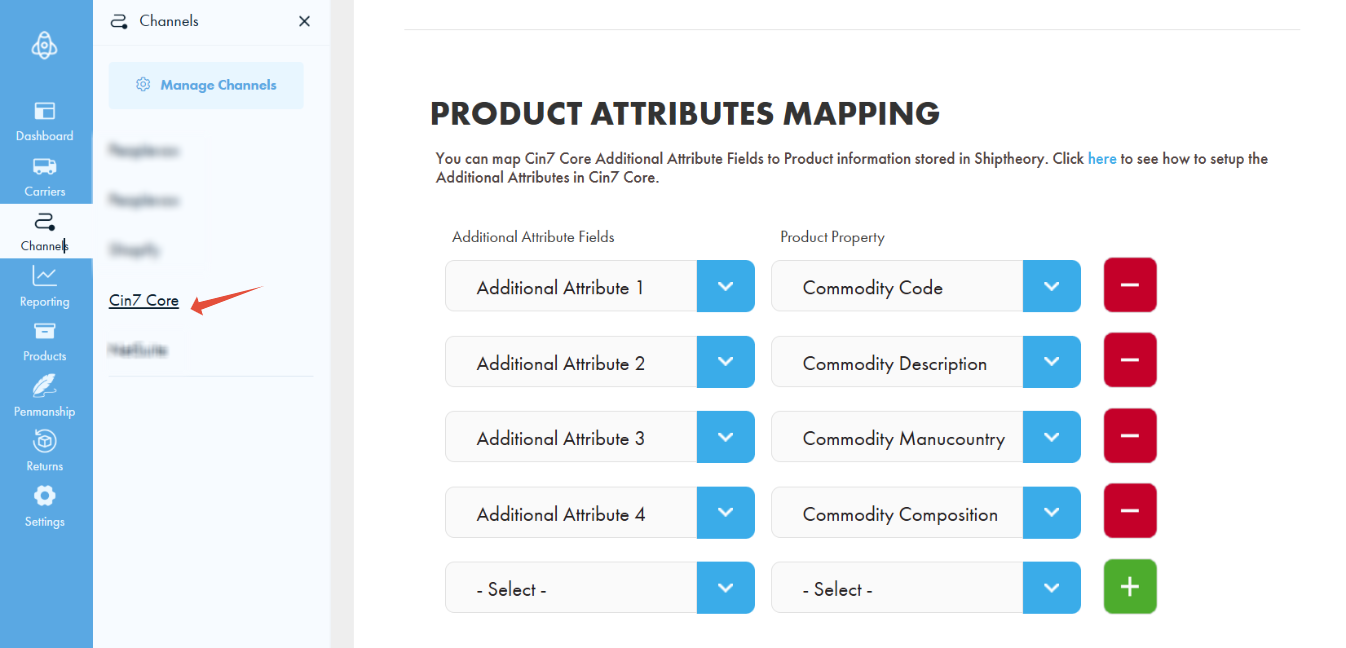
Click the Save button to store the settings. You’ve now finished setting up the mapping of additional attributes to product details.
For a more information, you can also refer to Cin7 Core support documentation on Additional Attributes.
If you encounter any issues, please feel free to contact our support team. You can call us on 0117 403 4313 (UK) / +1 (629) 666-6726 (US) or reach us online here.