
NetSuite supports automated merging within Shiptheory. In order to facilitate this Shiptheory use custom fields on the Item Fulfillment. In your NetSuite settings within Shiptheory go to the "Automatic Merging" section of the advanced settings and enter the IDs of the custom fields which will be used for the merge identifier and completion flag.
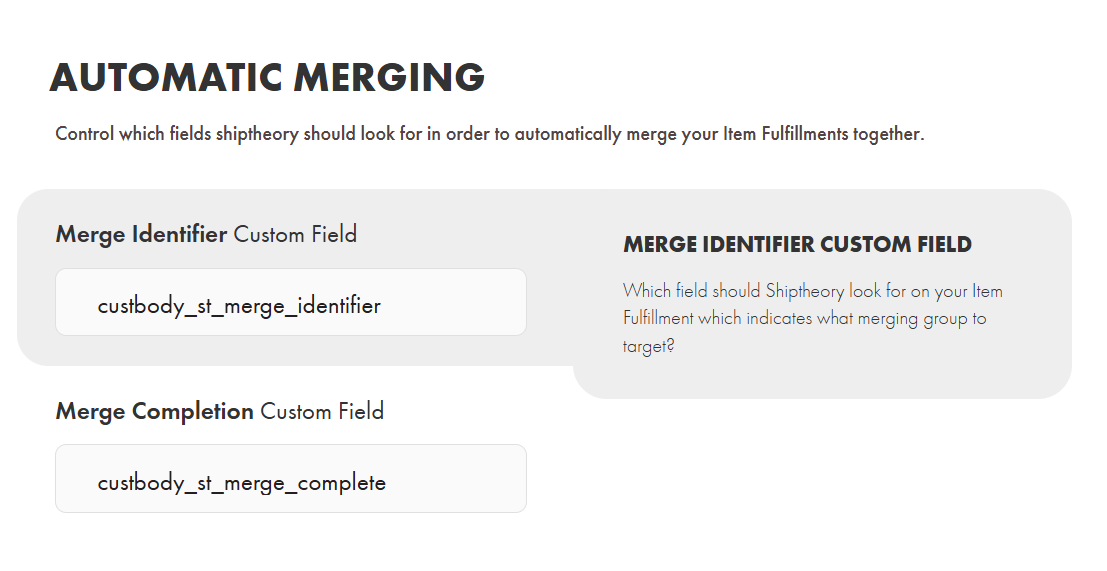
- Merge identifier custom field should be free-form text field (string)
- Merge completion custom field should be a checkbox (boolean)
When set Shiptheory will check these custom fields when it pulls in every Item Fulfillment from NetSuite. If the merge identifier is set then Shiptheory will follow the process outlined here. Check the completion field when you want to release the merging shipment.
If you encounter any issues, please feel free to contact our support team. You can call us on 0117 403 4313 (UK) / +1 (629) 666-6726 (US) or reach us online here.