
If your team uses RF-Smart AW PickPack to pack orders, you can automatically send shipping labels to the printer assigned to the specific person who packed the order.
By default, Shiptheory uses your standard NetSuite employee printer list. Follow these steps to use RF-Smart user printers instead:
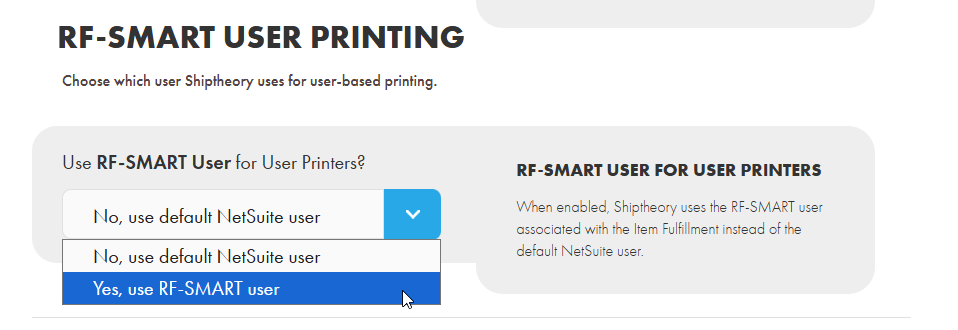
Step 1: Turn on RF-Smart User Printers
Go to your NetSuite Settings in Shiptheory
Turn on the switch for Use RF-SMART User for User Printers?
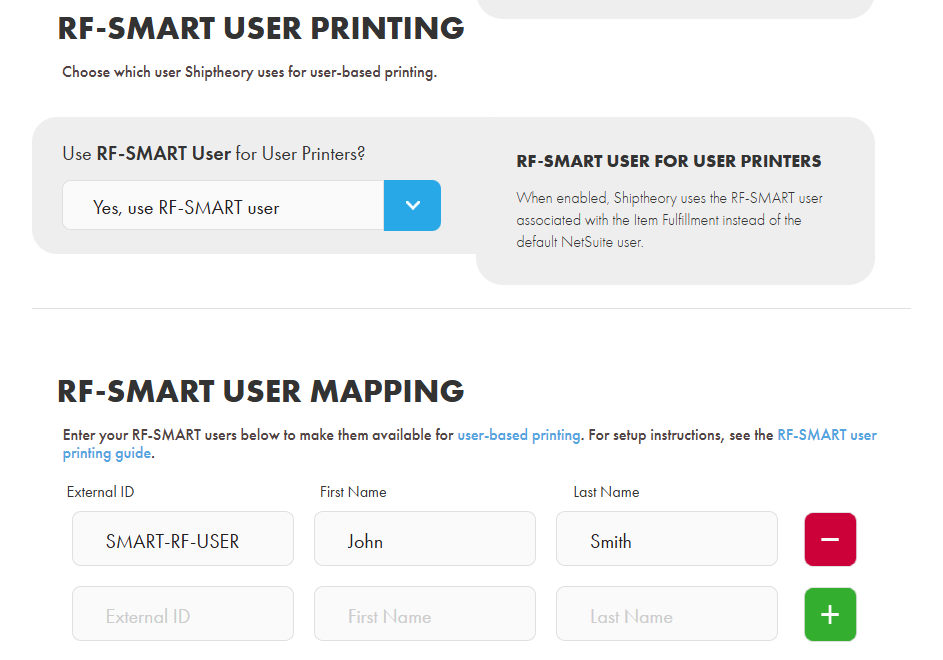
Step 2: Add Your RF-Smart Users
In NetSuite, find your list of employees. Copy their External ID, First Name, and Last Name
In your Shiptheory NetSuite settings, scroll down to the RF-Smart Users list
Enter the employee details you copied and click Save
Step 3: Connect Users to Printers
Go to Settings > User Printers in Shiptheory
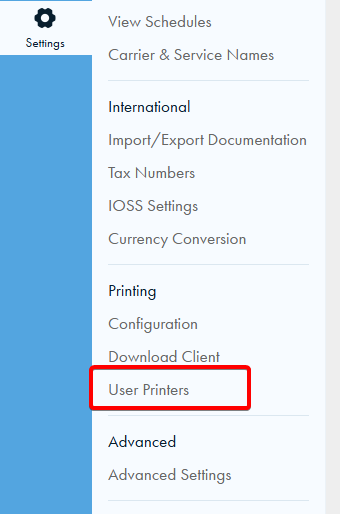
Select your NetSuite integration and click Manage

Find your mapped RF-Smart users in the list
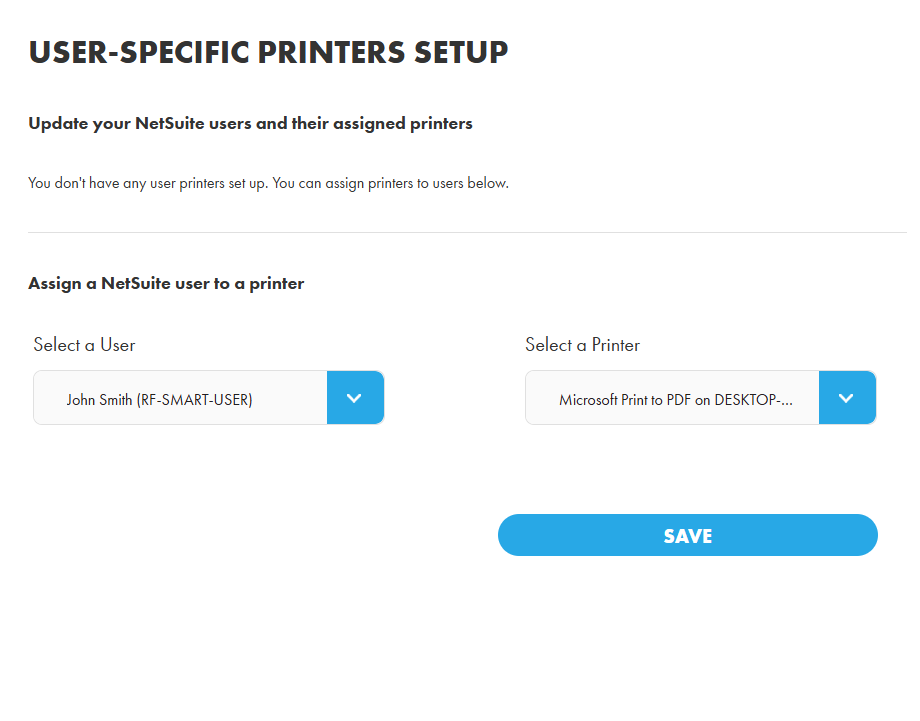
4. Choose a printer for each user from the dropdown menu and click Save
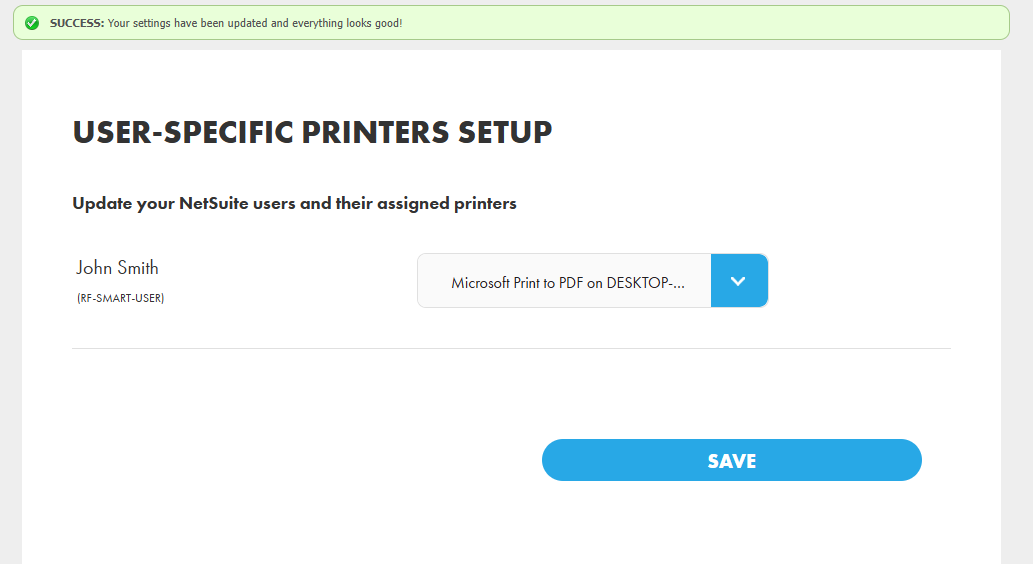
Now, when an order is packed using RF-Smart AW PickPack, Shiptheory will automatically print the label to that specific user's assigned printer!
If you encounter any issues, please feel free to contact our support team. You can call us on 0117 403 4313 (UK) / +1 (629) 666-6726 (US) or reach us online here.