
If you manage multiple subsidiaries in NetSuite, you can control exactly which ones send orders to Shiptheory. By default, all subsidiaries are imported.
If you do not tick the "Filter Subsidiaries" box, Shiptheory will continue importing item fulfillments from every subsidiary without restriction. When subsidiary filtering is enabled, Shiptheory will only import item fulfillments for the subsidiaries you explicitly select
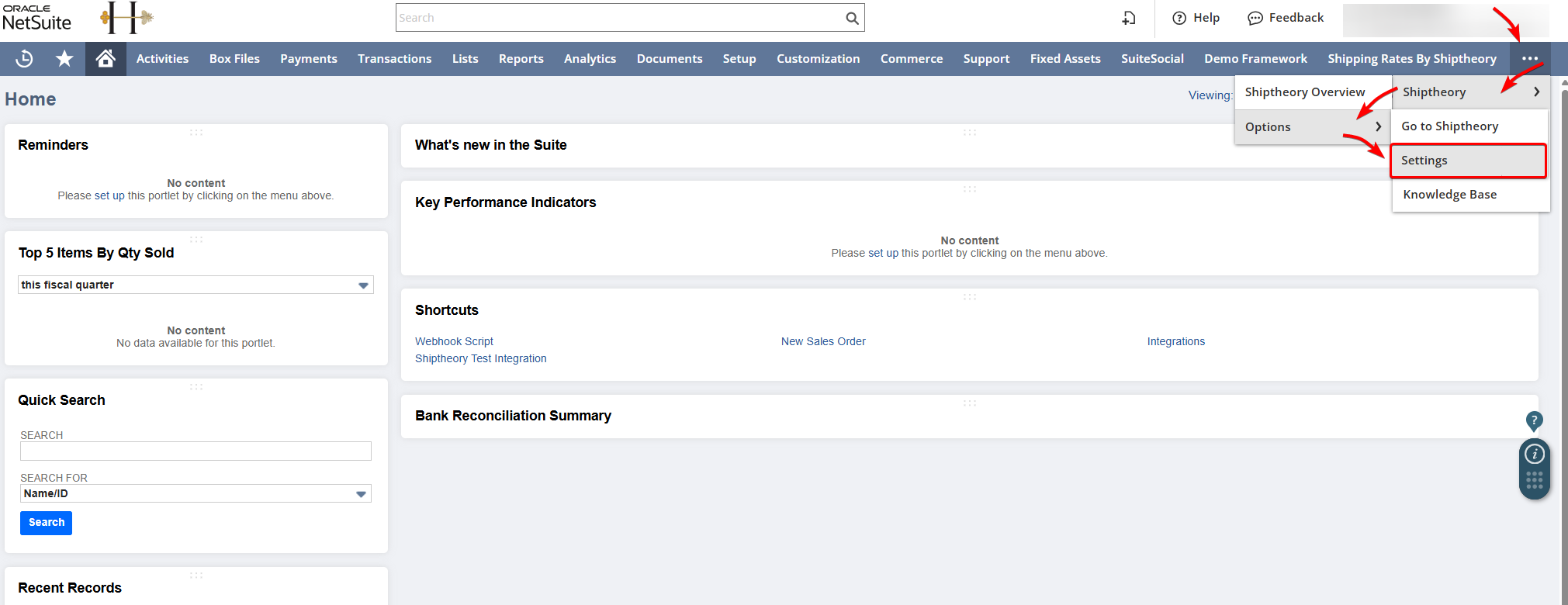
Step 1: Open Your Shiptheory Settings in NetSuite
- Log in to NetSuite
- Navigate to your Shiptheory Integration Settings page
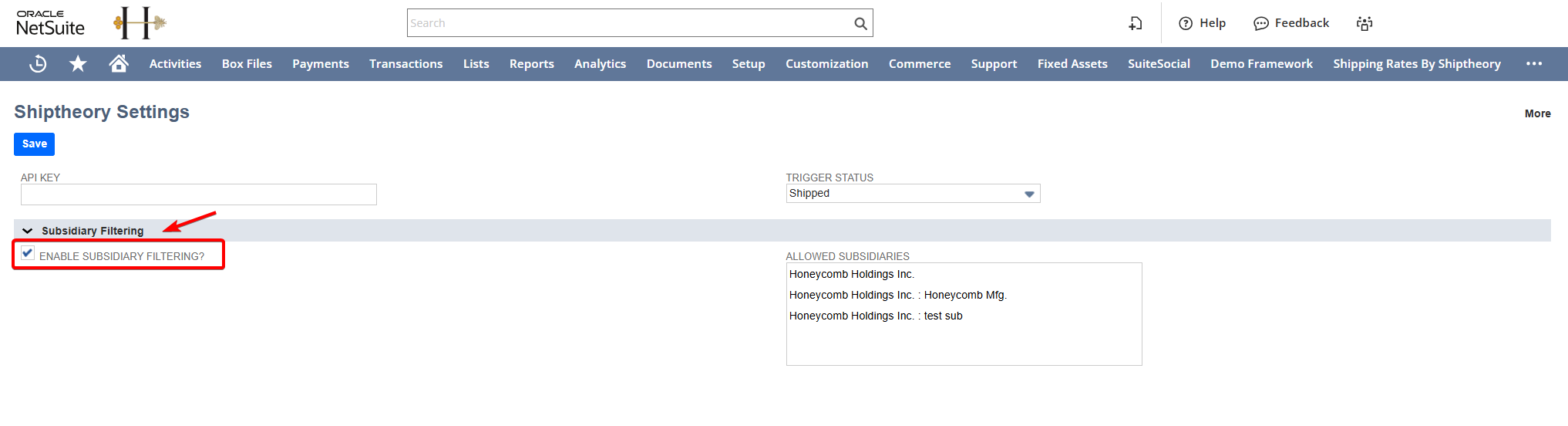
Step 2: Enable Subsidiary Filtering
- Scroll down to the Filtering section
- Check the box labeled Filter Subsidiaries
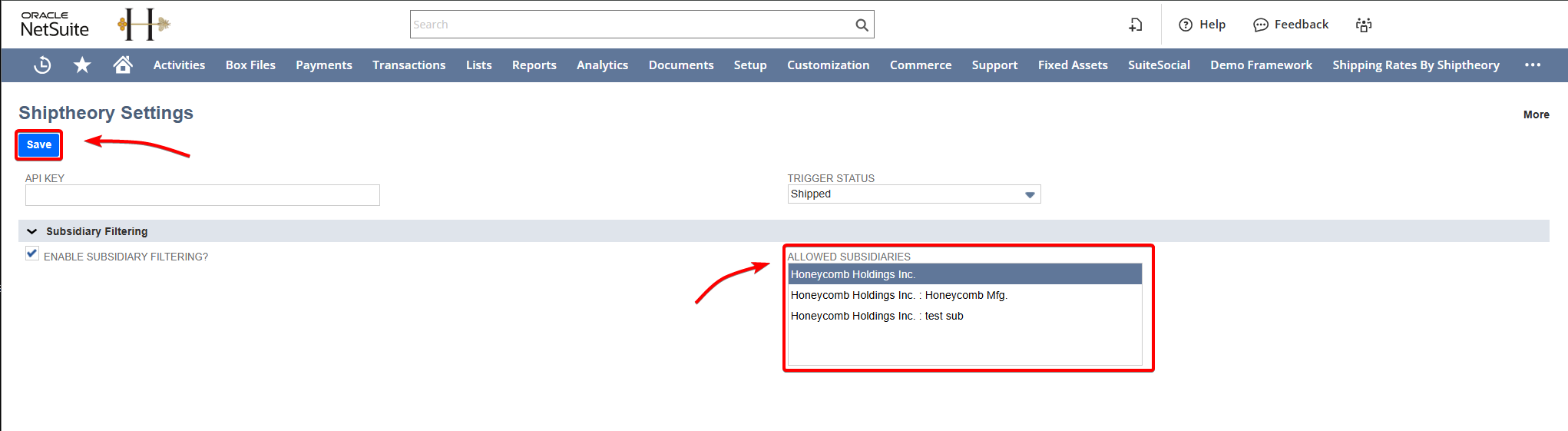
Step 3: Choose Your Allowed Subsidiaries
- Locate the Allowed Subsidiaries multi-select field directly below the checkbox.
- Select the subsidiaries you want to import orders from.
- Hold Ctrl (Windows) or Cmd (Mac) to select multiple subsidiaries from the list.
- Click Save Settings
If you encounter any issues, please feel free to contact our support team. You can call us on 0117 403 4313 (UK) / +1 (629) 666-6726 (US) or reach us online here.