
Once you've connected your Business Central and Shiptheory accounts, there are a few settings worth checking before starting to ship.
If you've not yet connected your Business Central a Shiptheory accounts, take a look here to get connected: Connecting Business Central and Shiptheory
Configuration
Shipment Warehouse Location(s)
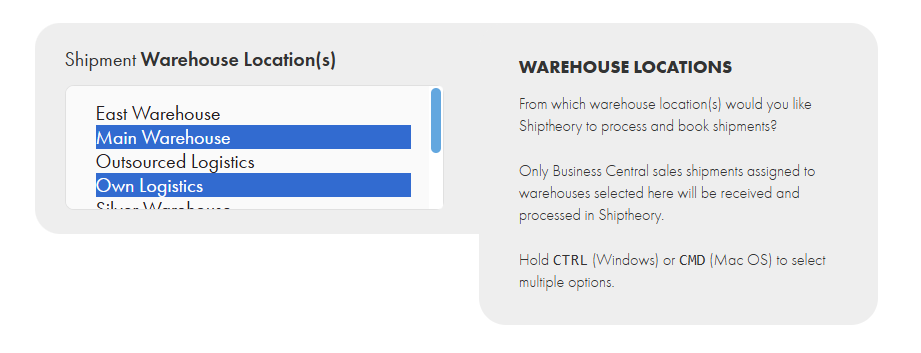
Shipthoery will only "listen for" and download sales from Business Central for warehouses you have selected in your settings. Select the Business Central warehouse locations you would like Shiptheory to handle shipping for, and click Save.
Advanced Settings
Order ID Reference
The Shipment ID used by Shiptheory to communicate with Business Central is an internal system ID that won't mean much to most users (e.g. 1a930cc5-0b57-4326-bde3-46e7658f4024). This setting allows you to select which other Business Central ID you would like to be saved as the Order ID in Shiptheory: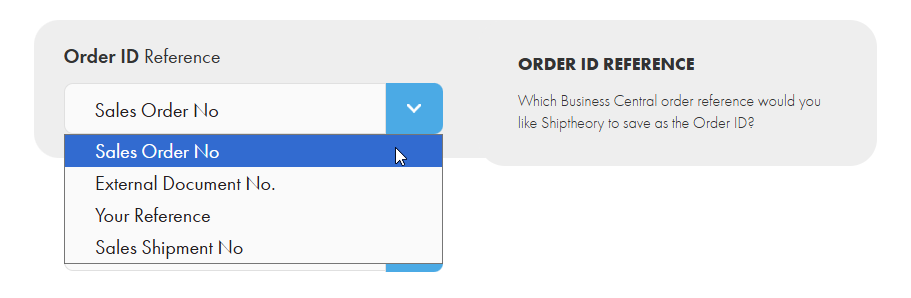
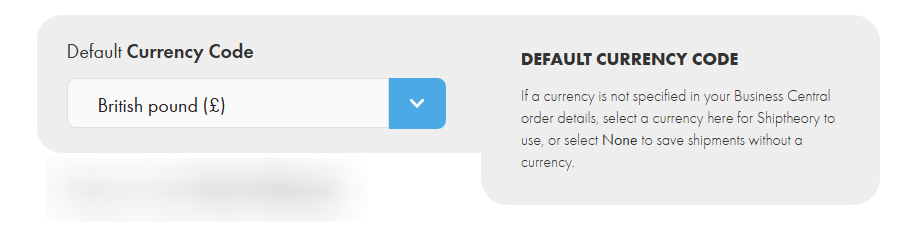
Default Currency Code
A currency code isn't a required field in Business Central, so it's possible that your shipments might be downloaded into Shiptheory without one. In this case, you can select for a default currency to get saved with your shipments in Shiptheory:
Units of Measure
Select here which measurement types you use in Business Central so Shiptheory can accurately save your package and product weights and dimensions.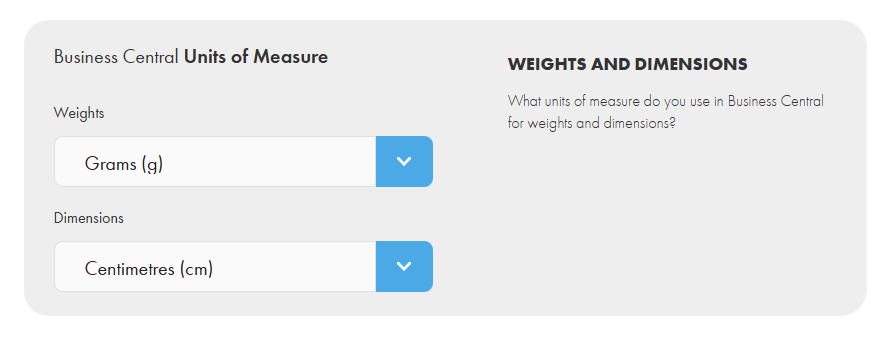
Address Contact & Company Names
Here you can specify which Business Central address field you typically use for person names and company names so Shiptheory can extract these accurately: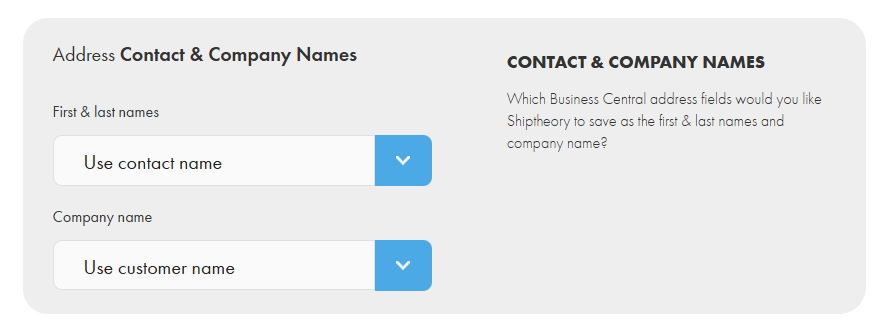
Shipment Sender Location
Shiptheory saves shipments with both a sender and receiver address. Here you can define which sender address you would like Shiptheory to save:
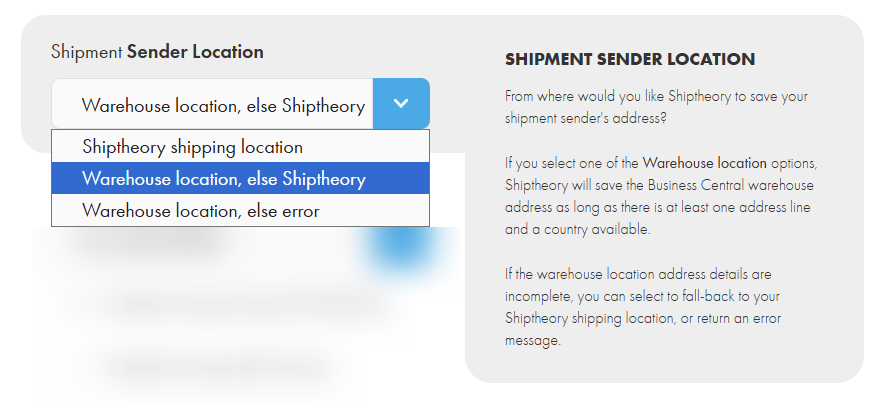
- Shiptheory shipping location: Shiptheory will only use the address saved in your Shiptheory shipping location: https://helm.shiptheory.com/addresses/edit/shipping
- Warehouse location, else Shiptheory: Shiptheory will save the associated Business Central warehouse location as the sender address. If one isn't available or is incomplete, then the address saved in your Shiptheory shipping location will be used instead.
- Warehouse location, else error: Shiptheory will save the associated Business Central warehouse location as the sender address. If one isn't available or is incomplete, then an error message will be returned in Shiptheory for your attention.
If you encounter any issues, please feel free to contact our support team. You can call us on 0117 403 4313 (UK) / +1 (629) 666-6726 (US) or reach us online here.