
Shiptheory allows you to load additional custom records and map data from them to shipment properties within Shiptheory. This guide assumes the following knowledge:
- An understanding of Shiptheory and how to update an integration
- An understanding custom fields and custom records in NetSuite
TABLE OF CONTENTS
NetSuite prerequisites
- The order or fulfillment which relates to the record must have a custom field on it which references the custom field.
- The referencing field must contain either the internal ID or name of the related custom record
- The referenced custom record type must exist
Getting set up in Shiptheory
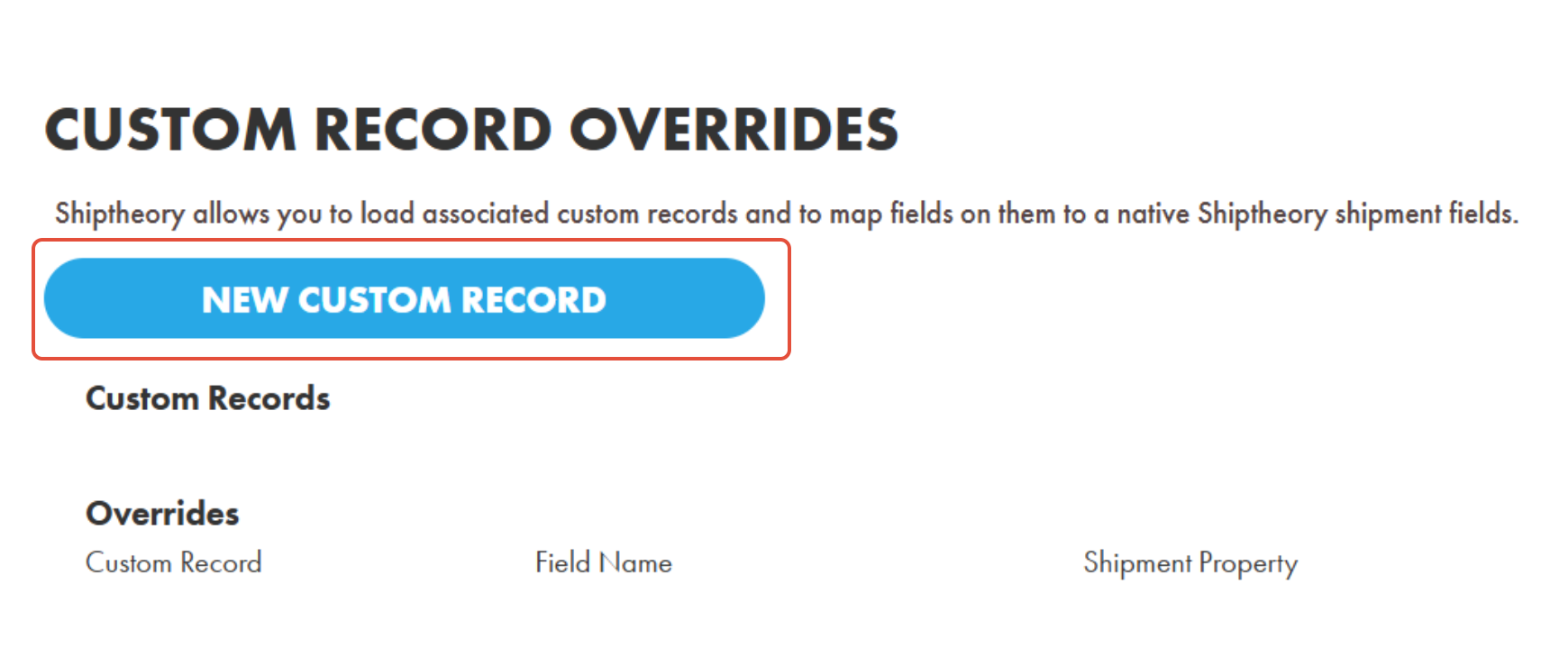
Navigate to your advanced settings for your NetSuite integration in Shiptheory and find the section called "Custom Record Overrides". Then click "New Custom Record".
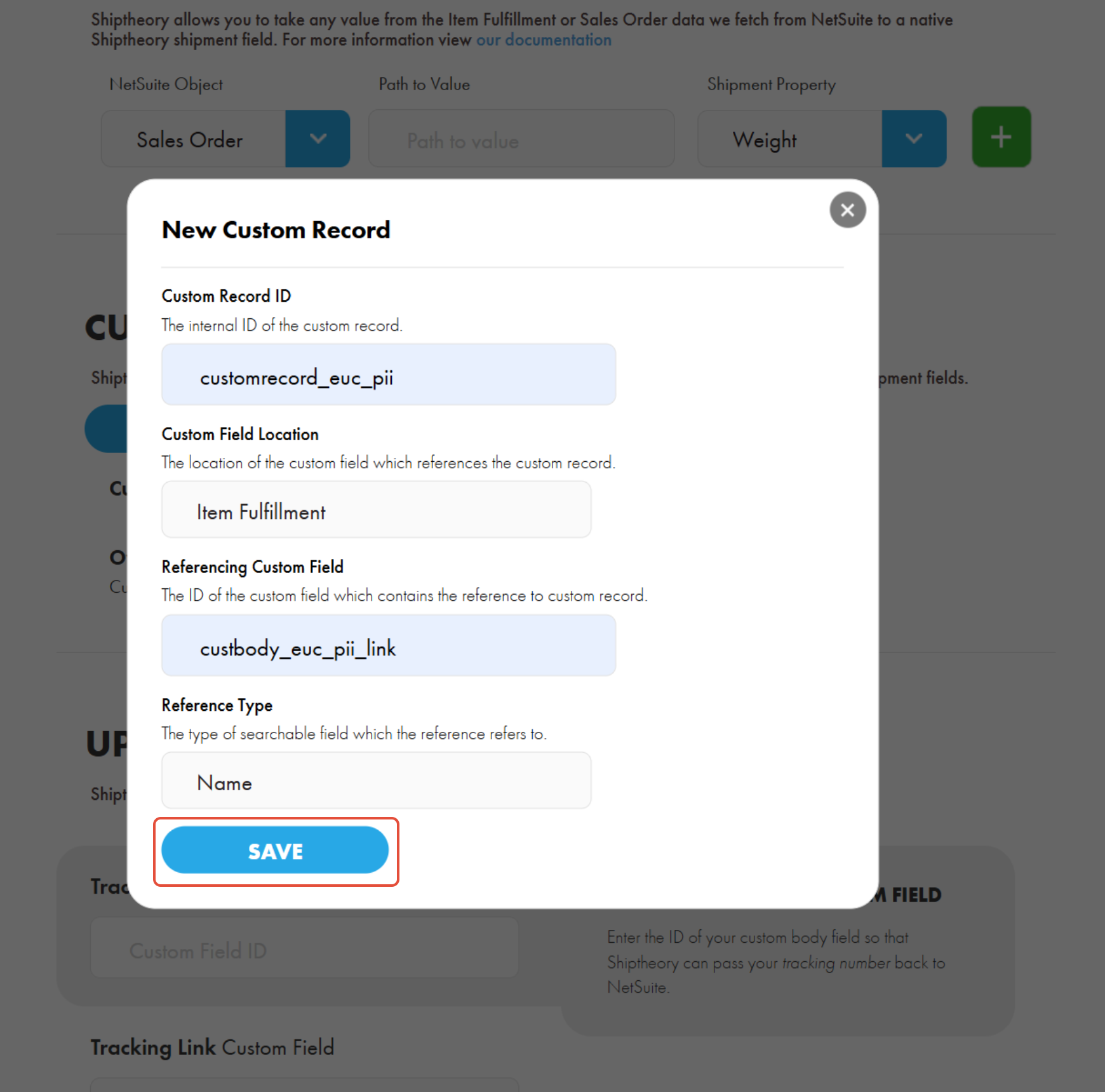
Fill out the form and then click "Save".
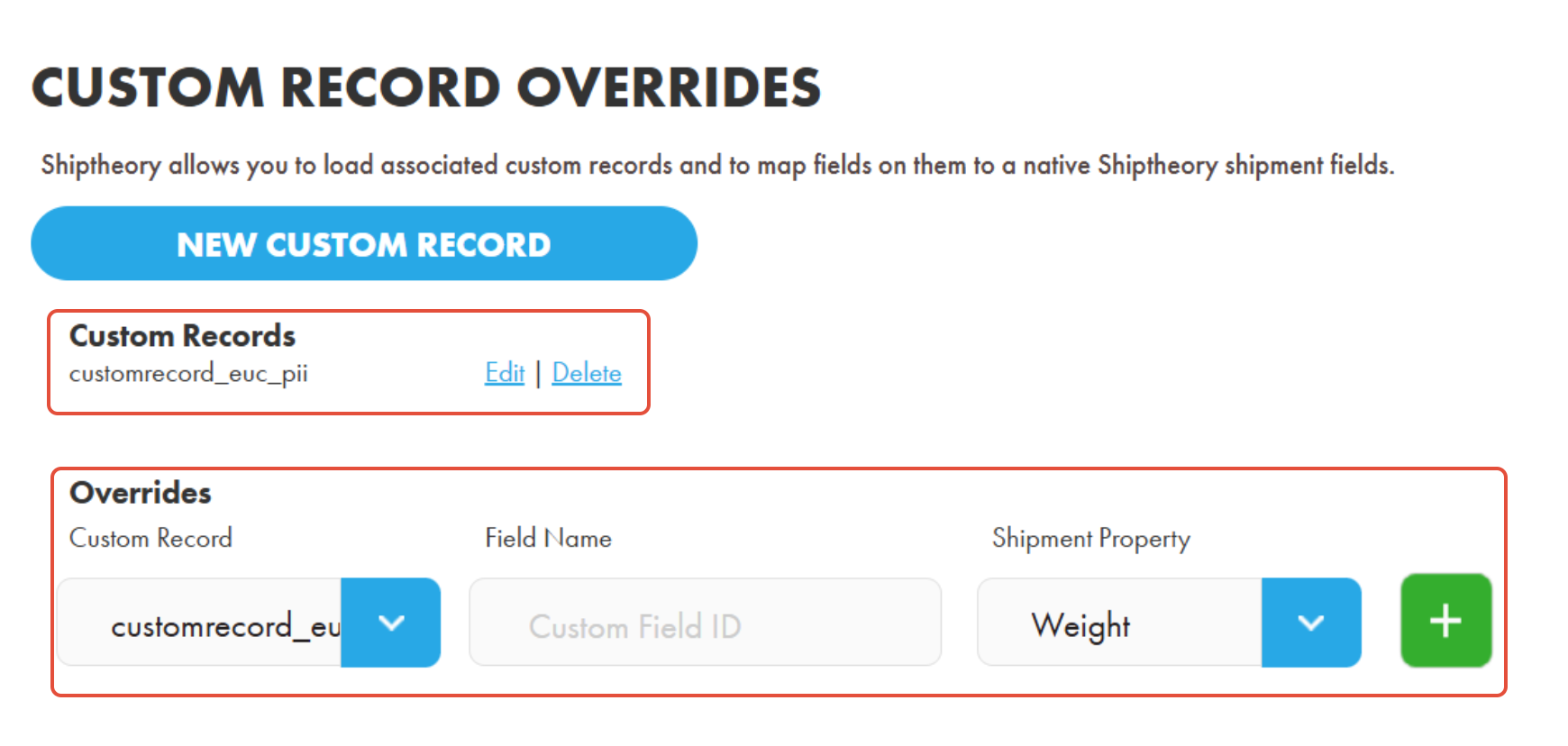
Once saved you will see the new custom record definition under the "Custom Records" subheading. Additionally, a field mapping line will appear under the "Overrides" subheading. Every time you add a new custom record definition it will become available as an option in the "Custom Record" dropdown on each mapping line.
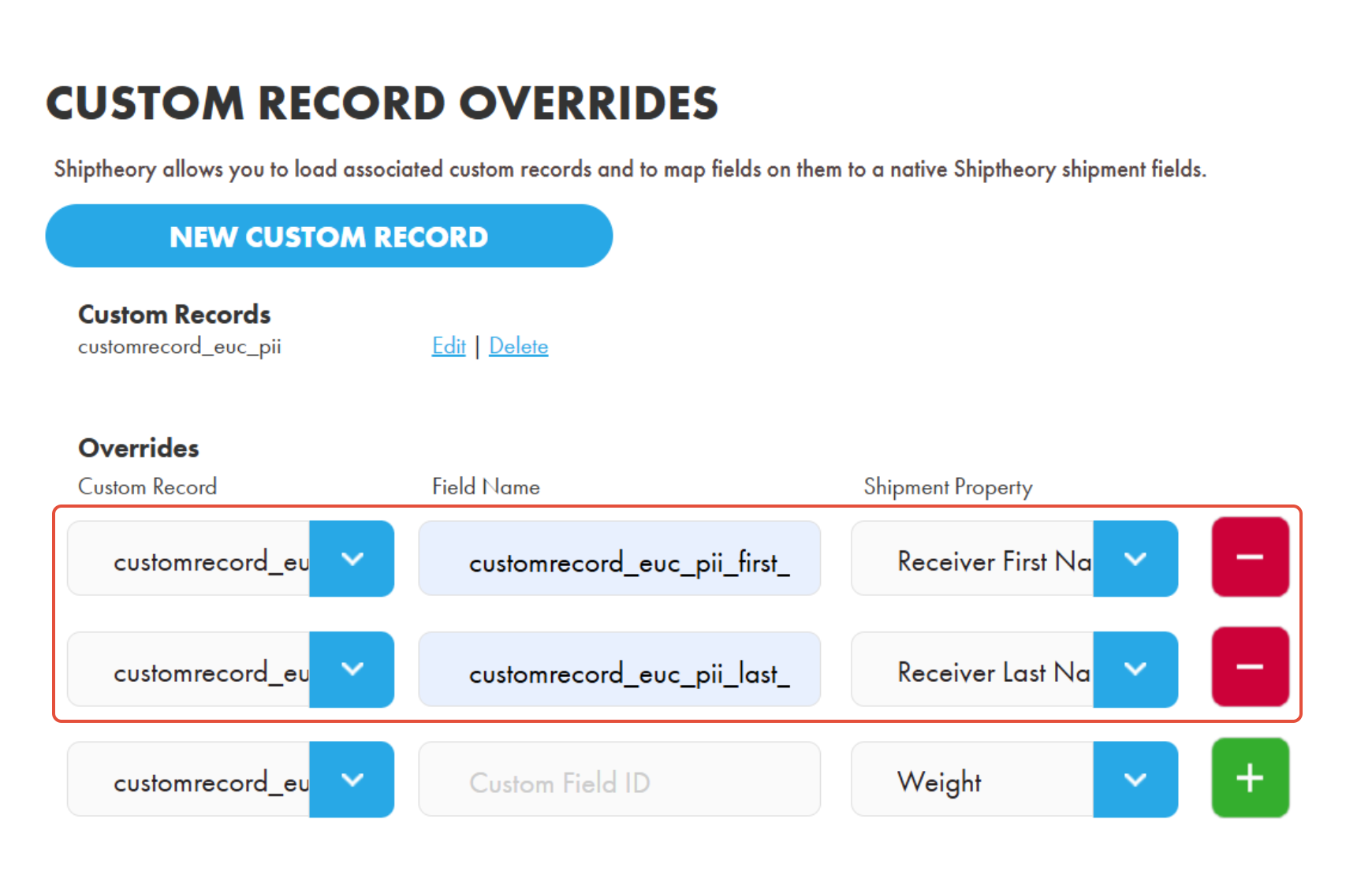
Add as many lines as you need and then save your changes.
Caveats to custom record overrides
Mapping will not occur in the following scenarios:
- The referencing field on the order or fulfillment is not present
- The value of the referencing field on the order or fulfillment is empty
- The value of the mapped custom field on the custom record is empty
If you encounter any issues, please feel free to contact our support team. You can call us on 0117 403 4313 (UK) / +1 (629) 666-6726 (US) or reach us online here.