
Step 1:
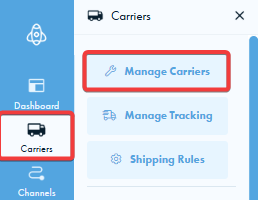
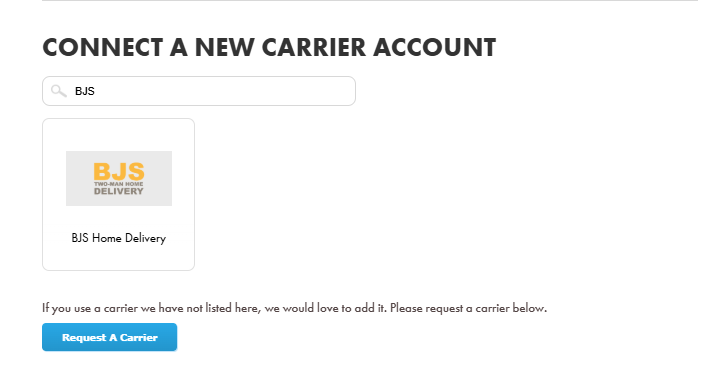
To get started, look at the left-hand side of your screen and click on Carriers. This will open a menu where you should select the Manage Carrier option. From there, scroll down until you see the section to connect a new carrier account, then search for BJS and click on it
Step 2:
This has now redirected you to your BJS settings. In order to connect your BJS account to Shiptheory, you will need to provide your account number and API key that BJS has given you.
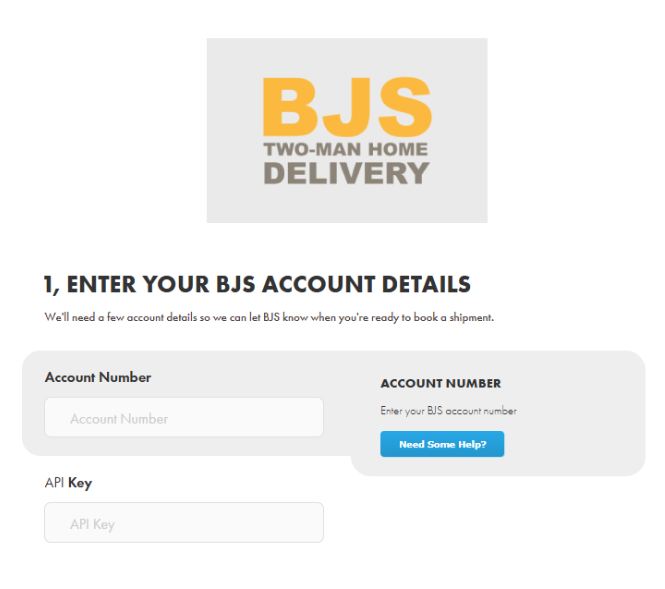
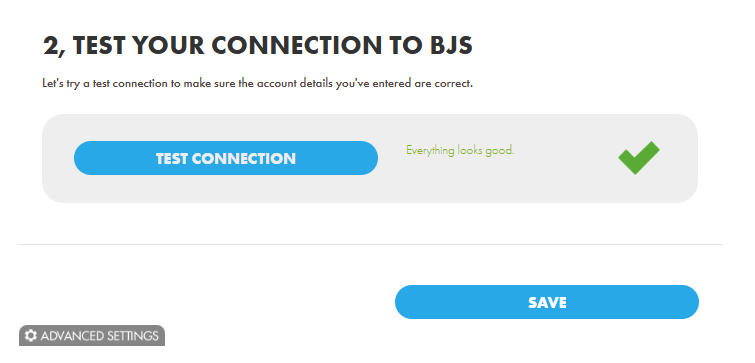
Once you have entered your details, press 'Test Connection' below to check if you have a successful connection and press 'Save'.
Step 3:
You now have a successful connection between BJS and Shiptheory and are ready to start shipping. Go to your dashboard, right-click on a shipment, and then press "View Shipment". On the dropdown saying "Select Carrier", select BJS Home Delivery.
Please note: We currently only support BJS shipments within Great Britain
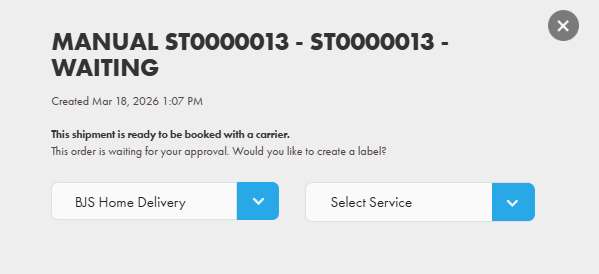
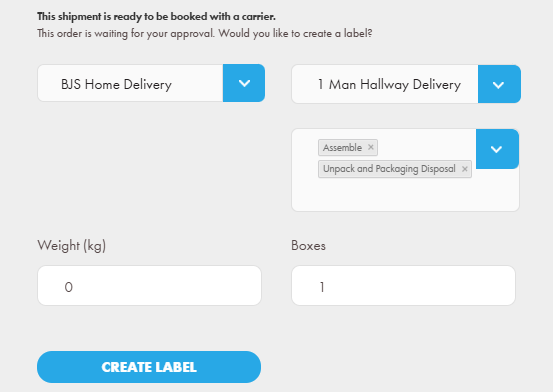
Now you are ready to select one of the BJS services provided:
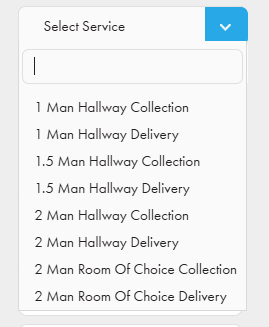
Choose a collection or delivery service from the dropdown, and you can select enhancements based on your choice.
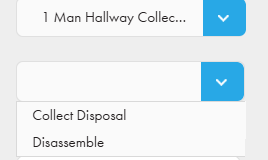
For collection, we support BJS enhancements such as collect disposal and disassemble.
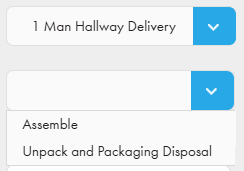
For Deliveries, we support BJS assemble and Unpacked and packaging disposal
If you encounter any issues, please feel free to contact our support team. You can call us on 0117 403 4313 (UK) / +1 (629) 666-6726 (US) or reach us online here.