
In Shiptheory, you can easily specify Shiptheory Packages or Pallets using Custom Field for Item Fulfillment. Follow the simple steps below to setup
TABLE OF CONTENTS
Setup
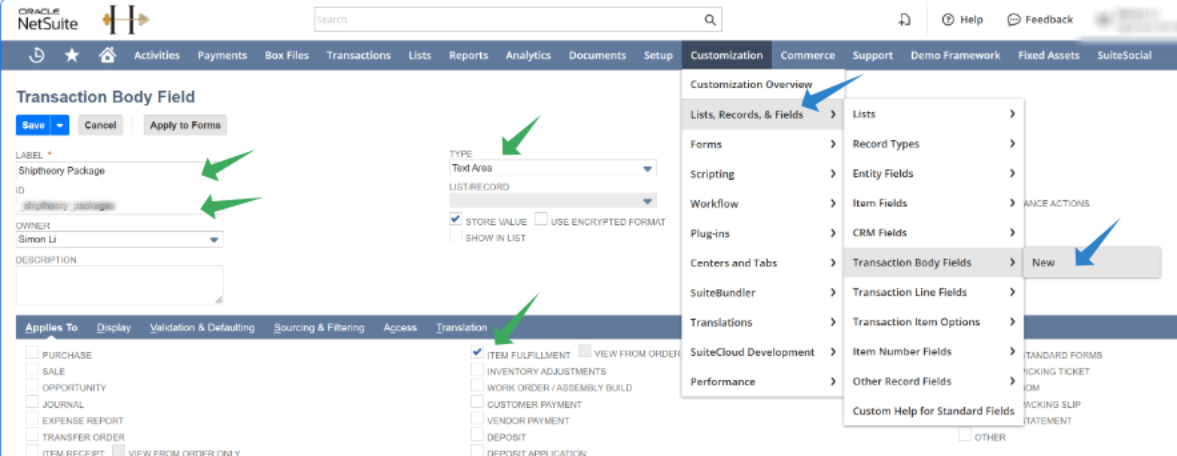
In NetSuite, go to Customization > Lists, Records, & Frields > Transaction Body Fields > New:
Create a custom field for Transaction, enter the following:
- Label: Shiptheory Package (recommanded). It is the label displayed in Item Fulfillment later
- ID: _st_package (recommanded)
- Type: Text Area
- Applies To: Tick ITEM FULFILLMENT
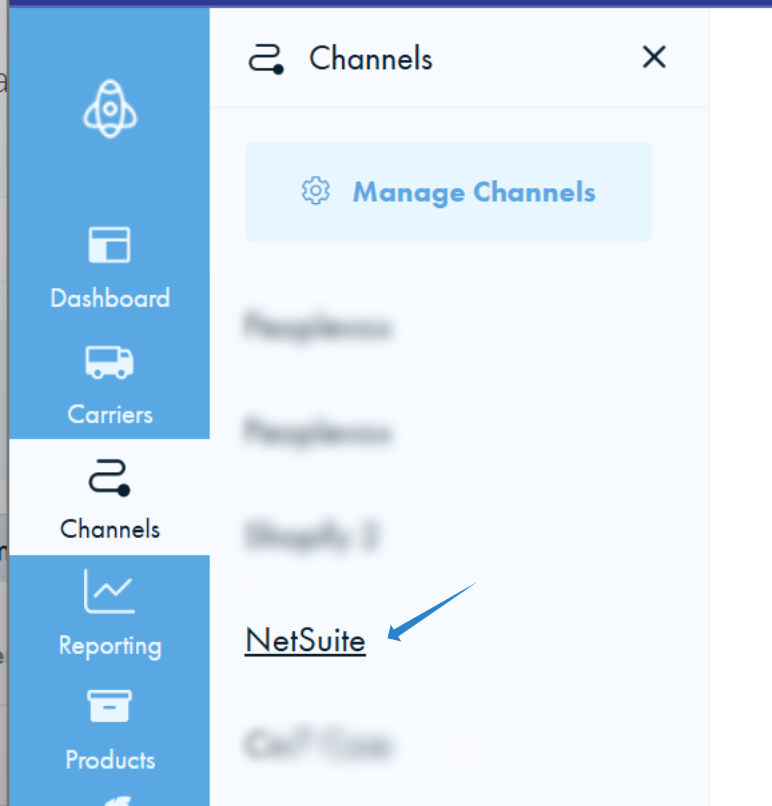
Goto your Shiptheory NetSuite setting page
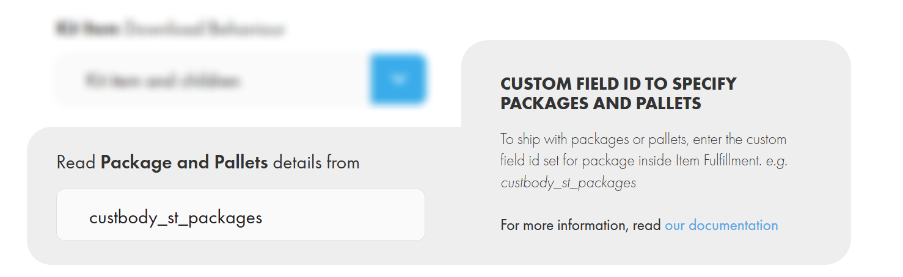
Type in the custom field id below, and click Save
Specifying Package or Pallet details for Item Fulfillment
Go to your Item Fulfillment, click Custom and under SHIPTHEORY PACKAGE enter the package details.
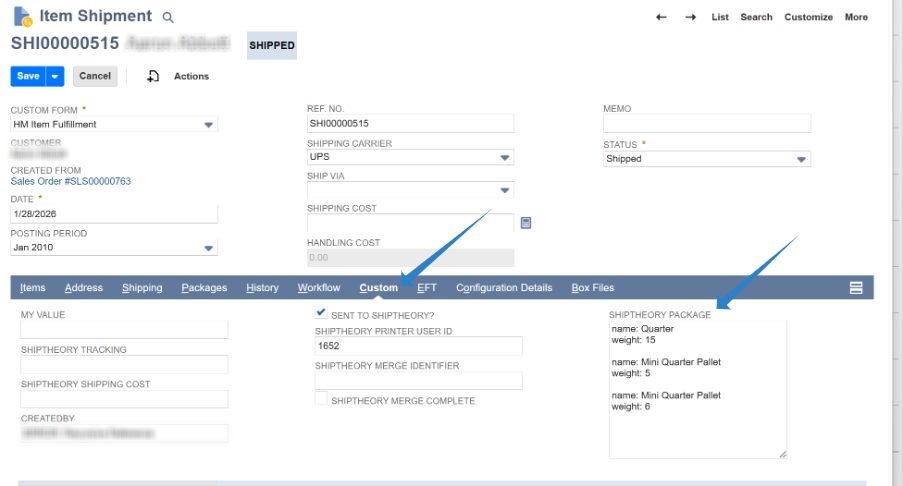
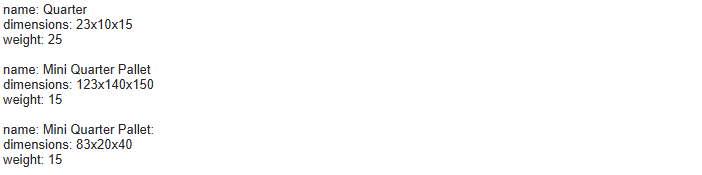
For each package, enter the name and weight on two lines and space them like below. There must be a blank line between each package. In the following example, there are 1 x 25kg of "Quarter" and 2 x 15kg of "Mini Quarter Pallet":
name: Quarter
weight: 25

name: Mini Quarter Pallet
weight: 15

name: Mini Quarter Pallet
weight: 15
Adding Package Dimensions (Optional)
If you want to include dimensions for your packages, add a dimensions line using the format Width x Height x Length (separated by a lowercase x) above weight. You must retain the blank line between each package.
Units of Measurement
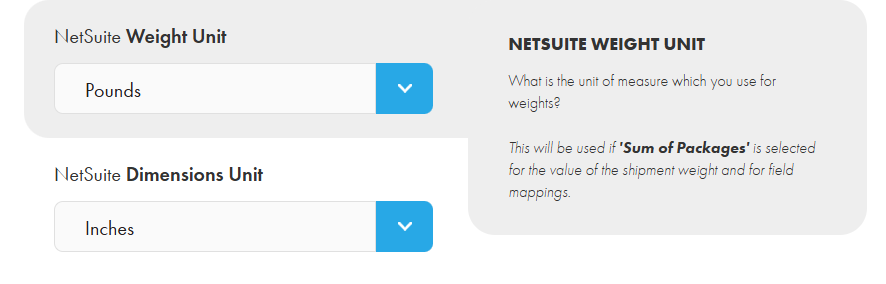
The unit of measurements you use for package weights & dimensions need to be configured in your NetSuite integration settings. For example, if you measure weight in pounds and dimensions in inches:
If you encounter any issues, please feel free to contact our support team. You can call us on 0117 403 4313 (UK) / +1 (629) 666-6726 (US) or reach us online here.