
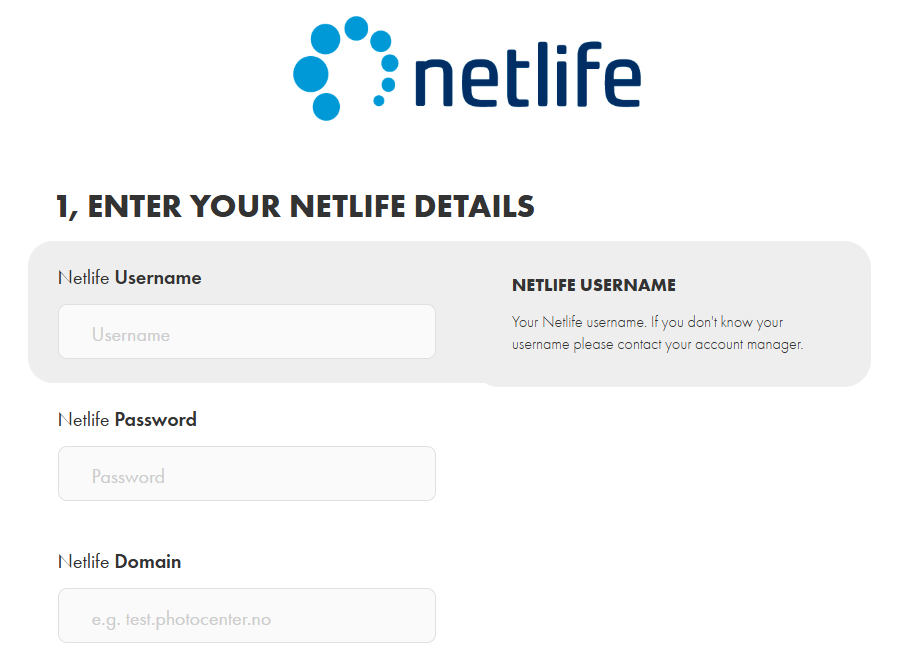
To begin connecting to Netlife you will need your Producer Username, Producer Password and the domain of your Producer portal.
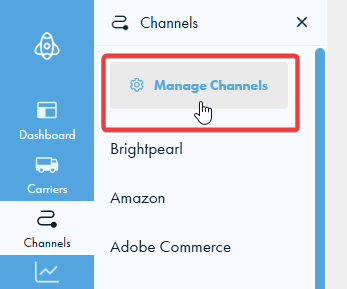
1. Go to the Manage Channels page. You can find this by hovering over the channels icon on the left handside of your screen and then clicking Manage Channels.
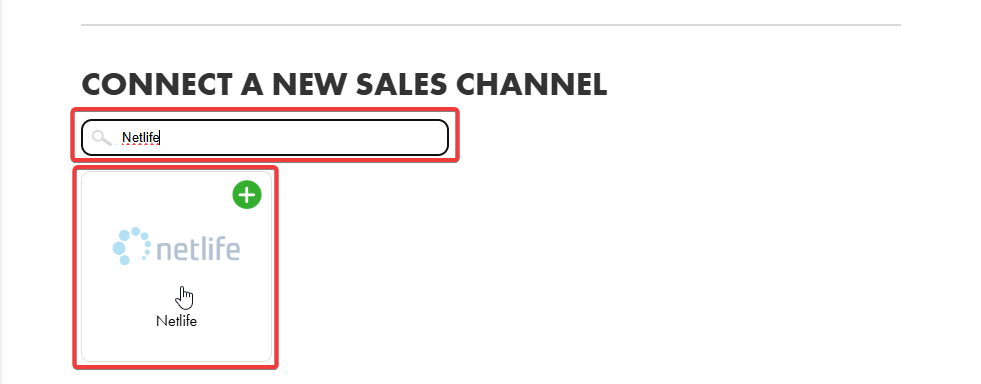
2. Scroll down to the connect channels section. Either type "Netlife" into the search bar or scroll until you find the Netlife integration card. Click on the Netlife integration card.
3. We will need your Netlife Producer username, password and Netlife Producer domain. Please enter them in the applicable fields.
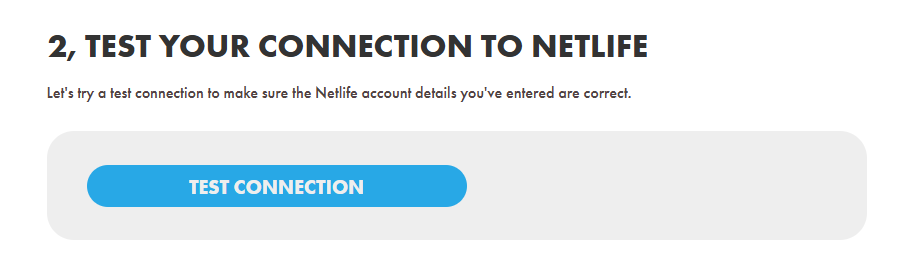
4. Try a test connection. This way you can be sure that the details you have entered are correct.
Make sure you press save to save these details.
If you encounter any issues, please feel free to contact our support team. You can call us on 0117 403 4313 (UK) / +1 (629) 666-6726 (US) or reach us online here.