
Step 1: Adding ShipHero to Shiptheory
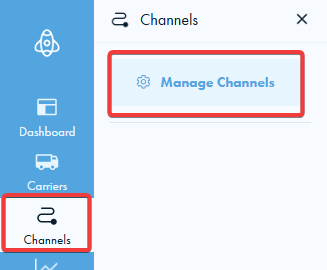
First, from the dashboard, click the "Channels" button on the left blue bar followed by "Manage Channels":
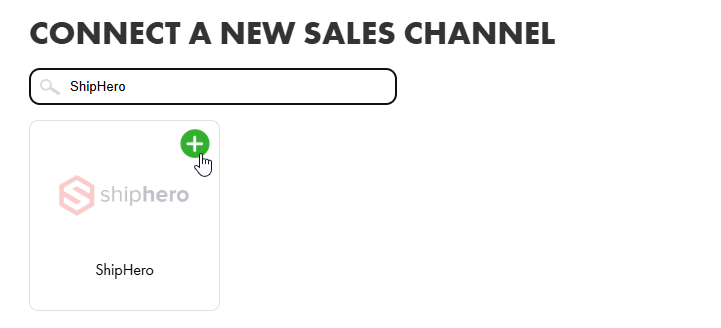
Scroll down to the "Connect a new sales channel" section, and search for ShipHero. Click on the green '+' to add ShipHero to your Shiptheory account.
Here you will need to enter your ShipHero API secret. You can find this in your ShipHero API settings. If you can't see an API secret on this page, you will need to add a shop under the name "default" (on the same page), and an API secret will be generated.
You will need the URL displayed on this page in the next step.
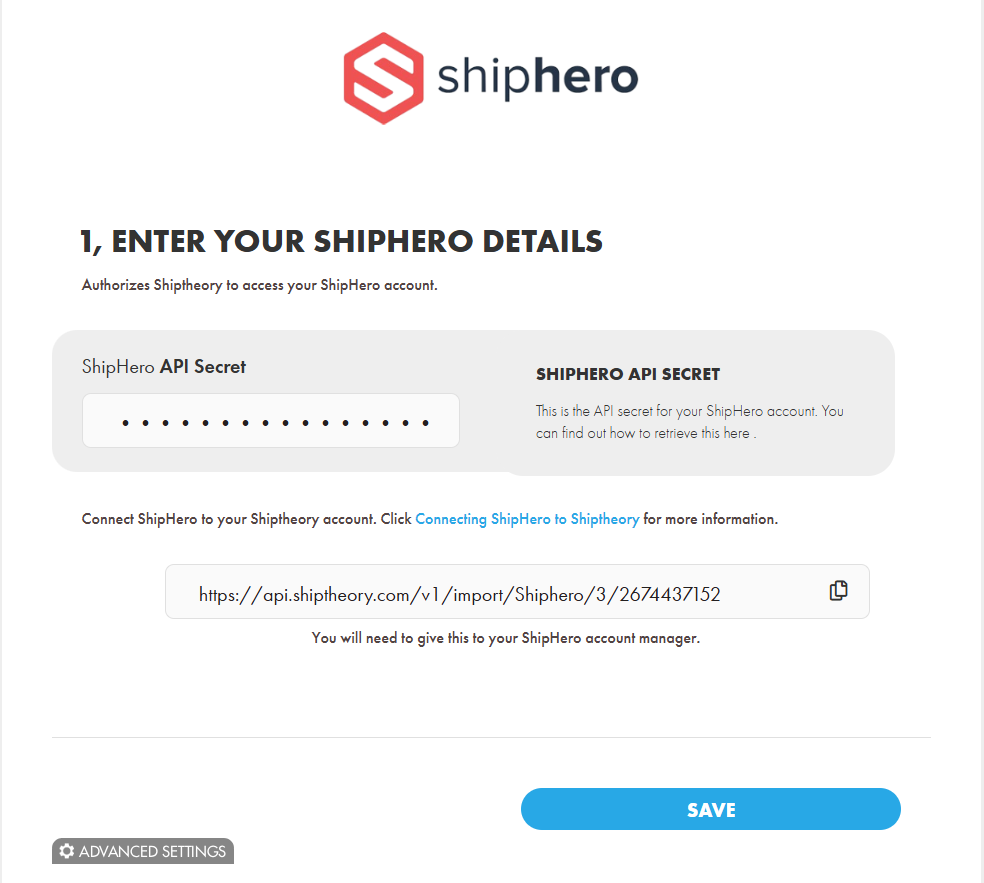
Make sure to press save at this stage.
Step 2: Talk to your ShipHero account manager
The next step will be to get in touch with your contact at ShipHero. They will need three pieces of information to get you set up:
- You will need to provide them with the URL shown on the ShipHero connection page (see above screenshot). e.g. https://api.shiptheory.com/v1/import/Shiphero/1/12345678
- You will need to give them the following tracking URL: https://helm.shiptheory.com/v1/tracking/track/
- You will need to give them a Shipping Method name. This is how the integration will appear in ShipHero, so it's best to have this as "Shiptheory".
ShipHero will need to finish setting up the integration from here, but they should let you know when it is ready to go. Once this is done, you are ready to ship with ShipHero and Shiptheory.
If you encounter any issues, please feel free to contact our support team. You can call us on 0117 403 4313 (UK) / +1 (629) 666-6726 (US) or reach us online here.