
If an error comes back relating to a courier, we will display these errors below. You can click on this text to view each error relating to a specific courier and make amendments where necessary.
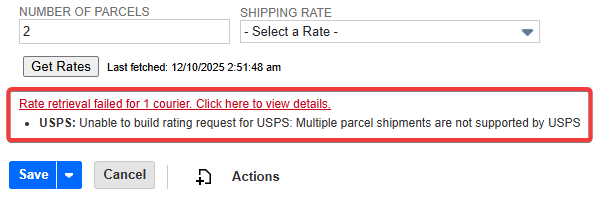
If you are continually experiencing issues or unexpected behaviour with your Shipping Rates By Shiptheory NetSuite App, please locate and send your specific errors from the logs to Shiptheory support. There are two ways to view the logs. The first shows the logs for a specific script, and the second shows the logs for every script in one page. There are pros and cons to both.
Important Note
Please reproduce the error just before collecting the logs. This ensures the most recent and relevant error information is captured in the log snippet.
If you receive an email an error after clicking the Get Rates button in the UI there are two main logs to check. To find these logs please follow the following steps.
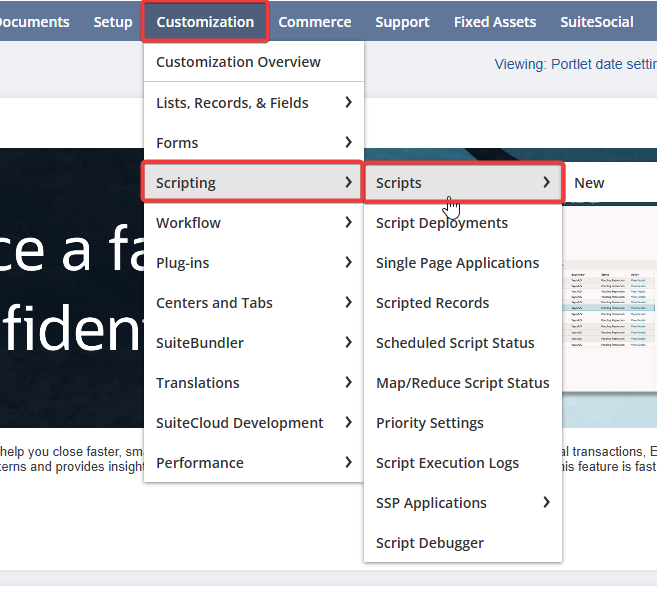
- Within the navigation bar, hover over Customization > Scripting and then click on Scripts.
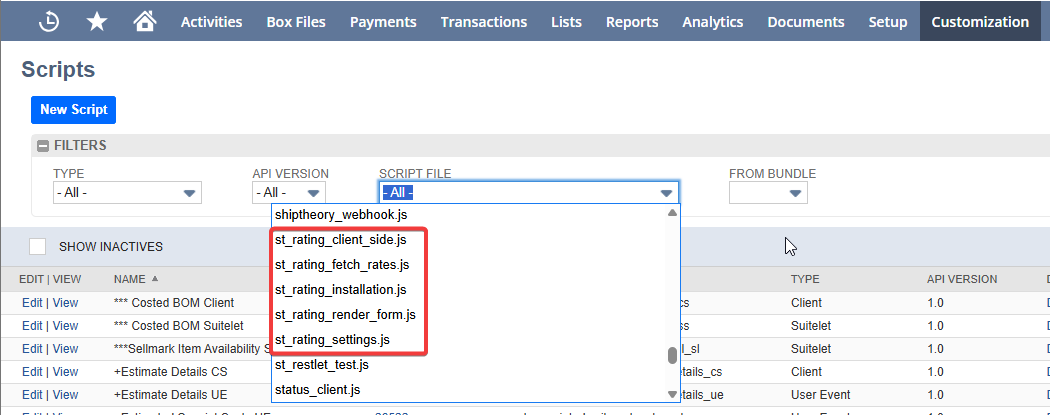
- Here it will display every script. Click on the Script File dropdown and scroll to the scripts prepended with "st_rating". These are the scripts related to the Shipping Rates By Shiptheory app.
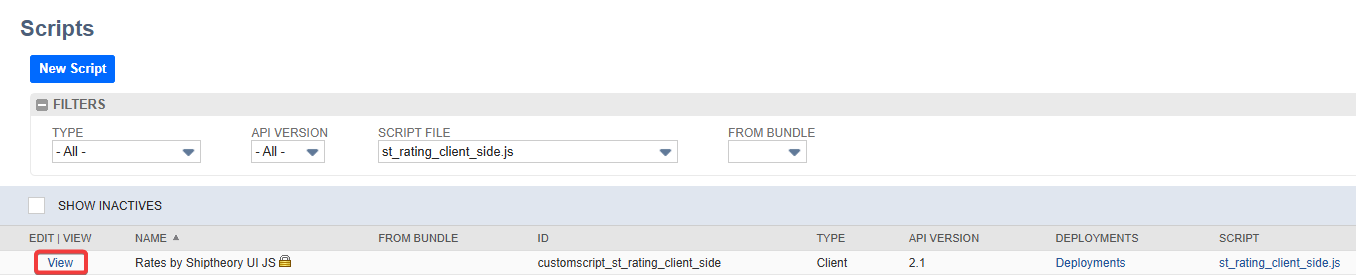
- The scripts that we're mainly interested in are st_rating_client_side.js and st_rating_fetch_rates.js. These two scripts are responsible for client side operations and fetching the rates. Select one of these scripts. It should then filter out all scripts apart from the one you have selected. Click on 'View' on the left hand side.
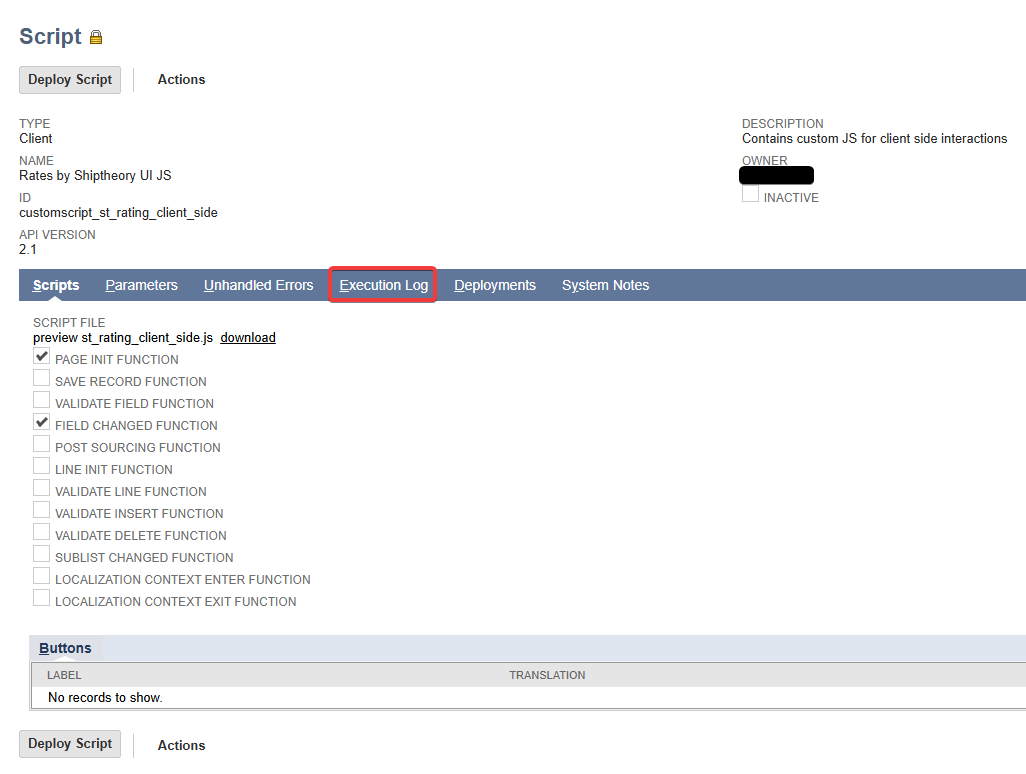
- Click on the execution log. This is where all the logs for this script are contained.
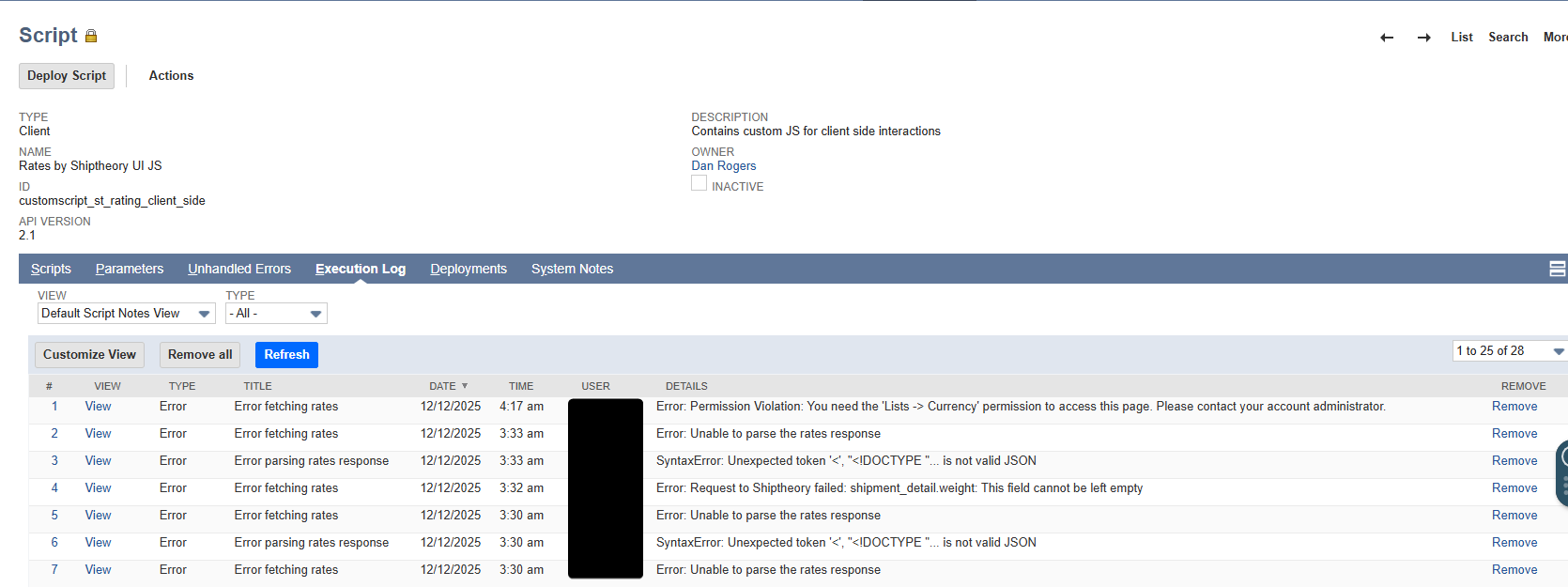
- You can now view the logs for the selected script. Please make sure when sending logs to support, it is relevant to your error.
If you are unsure as to which script an error could be occurring in, you can view the logs for all your scripts at the same time.
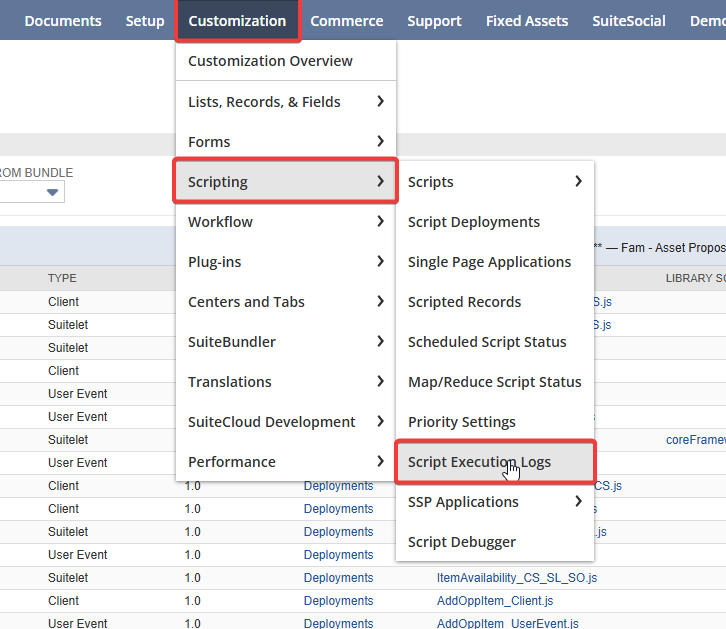
- To view the logs for all the scripts you are running please hover over Customization > Scripting and click on Script Execution Logs
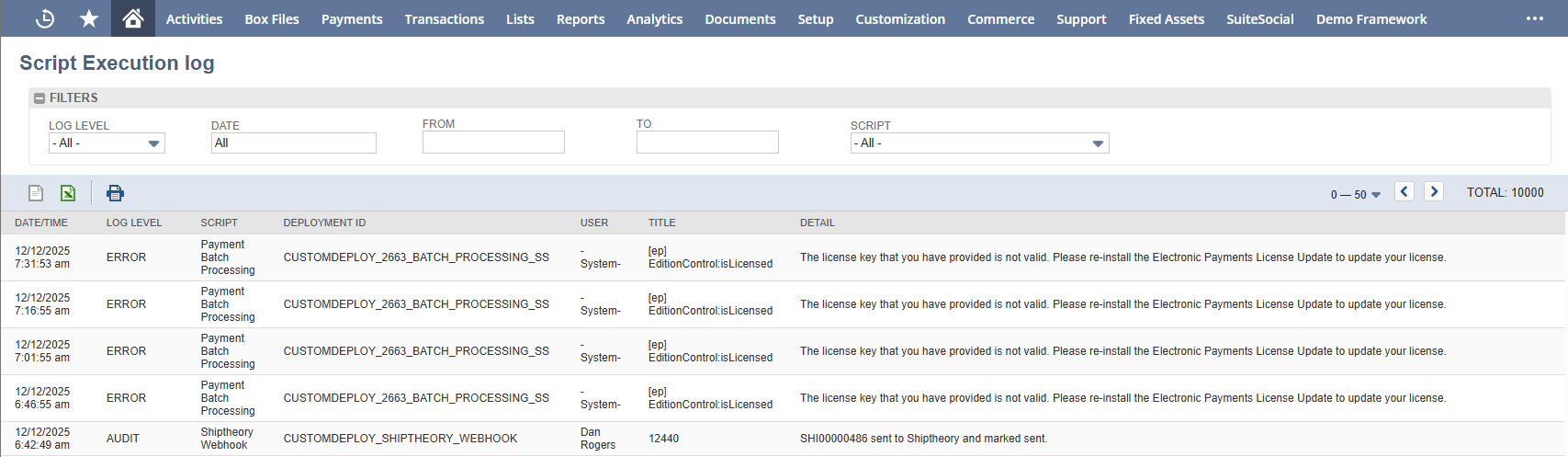
- This script execution log contains information about all of your scripts. Please be patient if an error doesn't appear right away, it can take up to 2 minutes for the latest log to come through so you may need to refresh the page a couple of times.
If you encounter any issues, please feel free to contact our support team. You can call us on 0117 403 4313 (UK) / +1 (629) 666-6726 (US) or reach us online here.