
Weight Options and Product Package Weight
In Weight Options, you can create a minimum weight value for DHL orders, or to override all Shipments to have this weight.
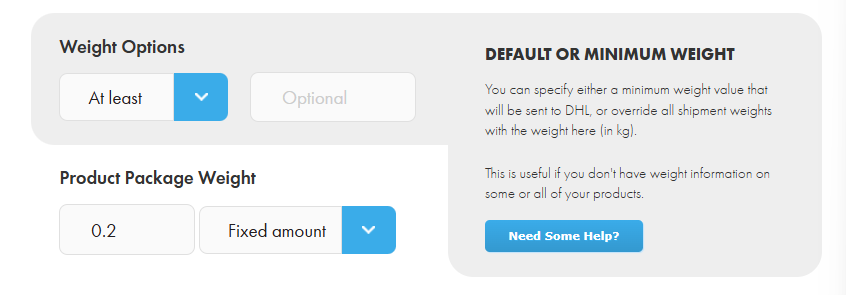
By default, Shiptheory assigns the same value for both net and gross product weight. Sometimes, customs might question why these weights are identical. You can address this issue based on your specific situation:
For product downloaded in Shiptheory | Example |
| Product weight is the Net weight (e.g. 2kg) | Enter 0.2 (kg) ~ 200g as the package weight Shiptheory will send to DHL: Net Weight = 2kg Gross Weight = 2.2kg 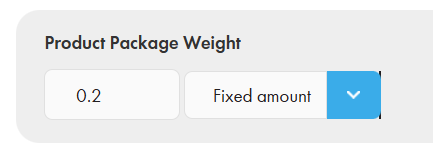 |
| Product weight is the Net weight (e.g. 2kg) | Enter 10 as the package weight in percentage, without including the % symbol. Shiptheory will send to DHL: Net Weight = 2kg Gross Weight = 2kg + 2kg * 10% = 2.2kg 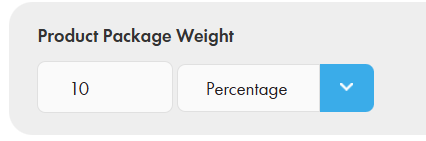 |
| Product weight is the Gross weight (e.g. 1kg) i.e. package weight included | Enter a negative value e.g. -0.2 (kg) Shiptheory will send to DHL: Net Weight = 0.8kg Gross Weight = 1kg 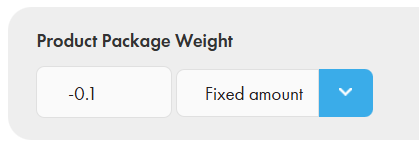 |
| Product weight is 2kg and you want to use it as both Net weight and Gross weight | Just leave it empty. Shiptheory will send to DHL: Net Weight = 2kg Gross Weight = 2kg 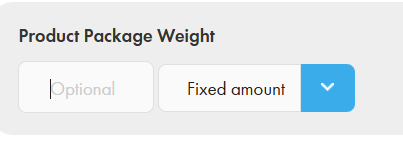 |
If you encounter any issues, please feel free to contact our support team. You can call us on 0117 403 4313 (UK) / +1 (629) 666-6726 (US) or reach us online here.